
Running PPC campaigns can feel like a constant battle. You're juggling keyword research, bid adjustments, A/B testing, and budget pacing. It’s a lot of manual work, and let's be honest, most of it is repetitive and boring. This is exactly where PPC automation tools come in. They aren't here to replace you; they're here to free you from the tedious tasks so you can focus on strategy, creative, and actually scaling what works.
This isn't another generic list. I've been in the trenches building tech and scaling businesses, so I know the difference between a tool that looks good on a marketing page and one that actually performs. We’re going to cut through the noise and give you a direct, candid breakdown of the best PPC automation tools out there. It’s smart to have a solid foundation in Pay Per Click (PPC) marketing to get the most out of these platforms.
My goal is simple: help you find the right tool for your needs without wasting your time or money. We'll look at everything from enterprise platforms like Search Ads 360 to more focused solutions like Opteo and our own, dynares. This guide has direct links, screenshots, and practical insights to make your decision as straightforward as possible. Let’s get into it.
1. dynares
Let’s get this out of the way first. We built dynares because we were frustrated with the status quo. Most tools automate bids or generate ads in isolation, which misses the point. The real power is in automatically creating and coordinating every part of the funnel—keyword, ad, landing page, and even the form—to match user intent perfectly. This is a big deal for anyone tired of managing messy spreadsheets and manually building dozens of landing pages to improve Quality Score.
The standout feature is tying everything back to revenue. By uploading conversion event values directly into Google Ads, it shifts optimization from simply counting leads to focusing on actual return on ad spend (ROAS). This is a critical distinction many other tools miss. It means your campaigns learn to bid more for traffic that actually makes you money, not just fills out a form. For agencies and in-house teams drowning in manual work, this system offers a clear path out of what I call spreadsheet hell and toward automated PPC funnels.
Key features & use cases
dynares is built for performance marketers who need to scale their Google Ads efforts without sacrificing relevance.
- For agencies: The multi-account workflow and templated builders are a godsend. Create a master template for a client vertical, then deploy hundreds of personalized ad-and-page combinations across multiple accounts in minutes, not weeks.
- For SMBs & growth teams: If you don't have a massive team, dynares acts as a force multiplier. You can compete with larger players by achieving personalization at a scale that would otherwise be impossible, driving up conversion rates and lowering your CPA.
Pricing & onboarding
dynares offers a transparent, tiered pricing model that scales with you.
- Free: A solid entry point to test the core functionality.
- Starter: €29/month for up to 30 landing pages and 5,000 pageviews.
- Pro: €243/month for up to 150 landing pages and 50,000 pageviews.
- Business: €765/month for up to 500 landing pages and 500,000 pageviews.
They also offer enterprise plans with custom limits and dedicated onboarding. While you can get started on your own, having guided setup helps you get the most out of its deeper integrations with Google Ads, Tag Manager, and HubSpot from day one.
Pros & cons
Pros:
- True scale personalization: Automatically generates keyword-specific ads, landing pages, and forms.
- Revenue-aware optimization: Pushes conversion values to Google Ads to optimize for ROAS, not just leads.
- Transparent pricing: A free tier and clear plans make it accessible.
Cons:
- Google Ads focus: It’s purpose-built for Google search. If your strategy is heavy on social, you'll need other tools.
- Scaling costs & limits: High-volume campaigns will push you into the Pro or Business tiers, so factor that into your budget.
Website: https://dynares.ai
2. Optmyzr
Optmyzr isn't just another tool; it’s a full management layer for serious PPC pros. Created by former Googlers, it’s for those who want deep automation but refuse to hand over control to a black box. It shines by giving you powerful, rule-based automation on top of Google's and Microsoft's own systems. That’s a big deal if you manage significant ad spend and can't afford surprises.
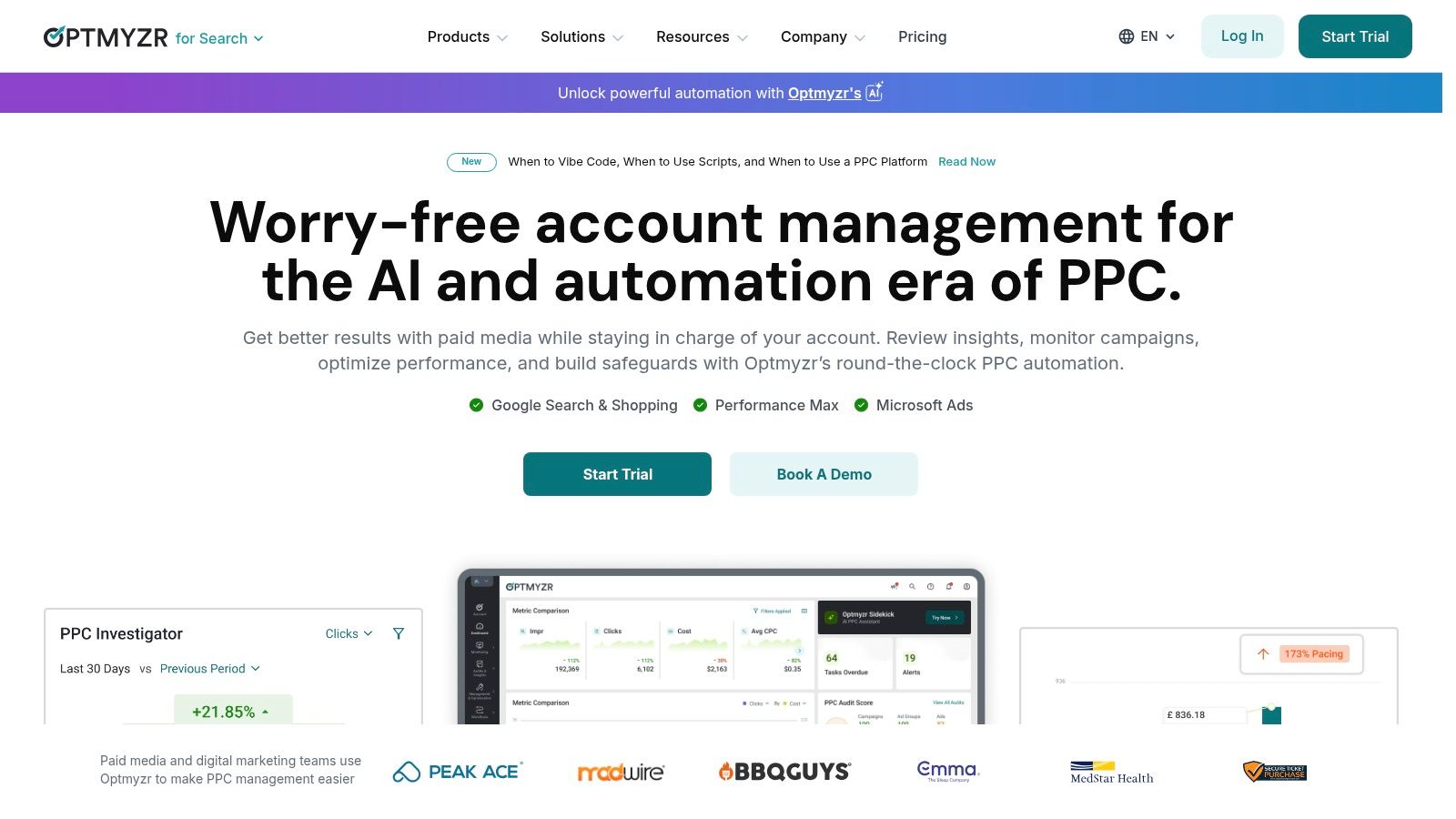
This platform is all about providing guardrails. You get a powerful Rule Engine to create custom automations, alerts for when things go sideways, and detailed performance audits. It’s one of the few tools that feels built for agencies first, helping them scale management across dozens of client accounts without losing their minds.
Key features
- Rule engine: Build custom if-this-then-that rules for bids, budgets, and ad status based on performance data.
- Budget pacing & alerts: Monitor spend across accounts to stay on track and get notified before you overspend.
- PMax & shopping tools: Advanced features for managing complex retail campaigns, a must for e-commerce.
Pros and cons
Pros:
- Provides deep control without sacrificing automation.
- Excellent for agencies managing multiple accounts.
- Strong reporting and visualization features.
Cons:
- The Rule Engine has a steep learning curve.
- Pricing is based on ad spend, so it can be pricey for smaller accounts.
Website: https://www.optmyzr.com
3. Opteo
Opteo acts like an always-on assistant for your Google Ads account, constantly scanning for ways to improve performance. It’s built for speed and clarity, making it a fantastic choice for lean teams or agencies that don't have the bandwidth to build complex rules from scratch. Instead of a giant toolbox, it hands you a prioritized list of specific, actionable improvements you can push live in a few clicks. This is one of those tools that genuinely saves you time on daily maintenance.
The platform’s real magic is in its simplicity. It surfaces recommendations for keyword management, bid adjustments, ad copy tweaks, and negative keywords without overwhelming you. It’s a great system for junior team members to learn the ropes or for seasoned pros to delegate routine checks. The goal here isn't deep, custom automation; it's about making the 80/20 rule work for your PPC management.
Key features
- Automated improvements: Get a continuous feed of suggestions for keywords, bids, ads, and account structure.
- Budget pacing & performance monitoring: Keep a close eye on your spending to ensure you hit monthly targets.
- Slack alerts & issue detection: Receive notifications for significant performance shifts or account problems directly in Slack.
Pros and cons
Pros:
- Clear, actionable suggestions with a fast workflow.
- Good value for multi-account management, especially for agencies.
- The user interface is incredibly intuitive.
Cons:
- Less customizable than heavy-duty rule engines like Optmyzr.
- Primarily focused on Google Ads with limited cross-channel depth.
Website: https://opteo.com
4. Adalysis
If you're obsessed with getting your ad copy perfect, Adalysis is the tool for you. It's less of an all-in-one management suite and more of a specialized analytics platform laser-focused on ad testing. This isn't for broad, set-and-forget automations; it's for PPC managers who believe the real wins come from continuous, rigorous A/B testing of ad creative.
Adalysis stands out with its powerful testing engine that automates single- and multi-ad-group tests, a process that’s a massive manual headache in Google Ads. It also acts as a vigilant watchdog for your accounts, running over 100 automated audit checks to flag issues before they drain your budget. Think of it as a quality assurance layer for your campaigns.
Key features
- Automated A/B tests: Systematically test ad copy, including RSA components, across single or multiple ad groups to find winners.
- 100+ account audits: A huge library of checks constantly scans for issues like keyword conflicts, broken links, and performance anomalies.
- Performance analyzer: Dig into the root cause of performance shifts to find out why things changed.
Pros and cons
Pros:
- Best-in-class automation specifically for ad copy and RSA testing.
- The extensive audit and alert system is excellent for proactive account management.
- Great for diagnosing performance issues quickly.
Cons:
- Less focused on budget pacing and bidding automation.
- The interface is built for testing workflows, not creative generation.
Website: https://adalysis.com
5. PPC Samurai
PPC Samurai is for the control freaks among us, and I mean that in the best way possible. Instead of giving you a black box that spits out optimizations, it gives you the tools to build your own repeatable automation blueprints. This is a workflow automation platform built for agencies that want to codify their secret sauce for managing search campaigns.
This platform's core idea is to let you define your own optimization processes with transparent, rule-based logic. It’s perfect for teams that need to standardize how they handle things like bid adjustments and keyword cleanup across many client accounts. If you have a successful method for optimizing campaigns, PPC Samurai helps you turn that into a repeatable, automated system that any team member can execute. It’s one of the best tools for enforcing consistency and quality at scale.
Key features
- Workflow builder: Construct custom automations for bid management, keyword hygiene, and ad performance reviews.
- Cross-account actions: Apply your templated optimization processes in bulk across multiple Google Ads accounts.
- Centralized dashboards: Integrates with Google Ads data to give you a unified view of performance.
Pros and cons
Pros:
- High transparency; you define and own the automation logic.
- Excellent for agencies standardizing optimization processes.
- Enforces a consistent approach to account management.
Cons:
- Pricing is not public; you have to go through a demo.
- Requires significant setup time to design effective workflows.
- A smaller ecosystem compared to the big all-in-one suites.
Website: https://www.ppcsamurai.com
6. NinjaCat budget management (formerly Shape)
If your biggest PPC headache is keeping dozens of accounts from blowing their budgets, NinjaCat is your answer. Formerly known as Shape, this tool doesn't try to automate every part of your campaign; it's purpose-built to solve one massive problem: budget pacing. It's the digital equivalent of a finance controller for your ad spend, giving you a centralized dashboard to monitor everything without having to jump between Google, Microsoft, and Facebook Ads managers.
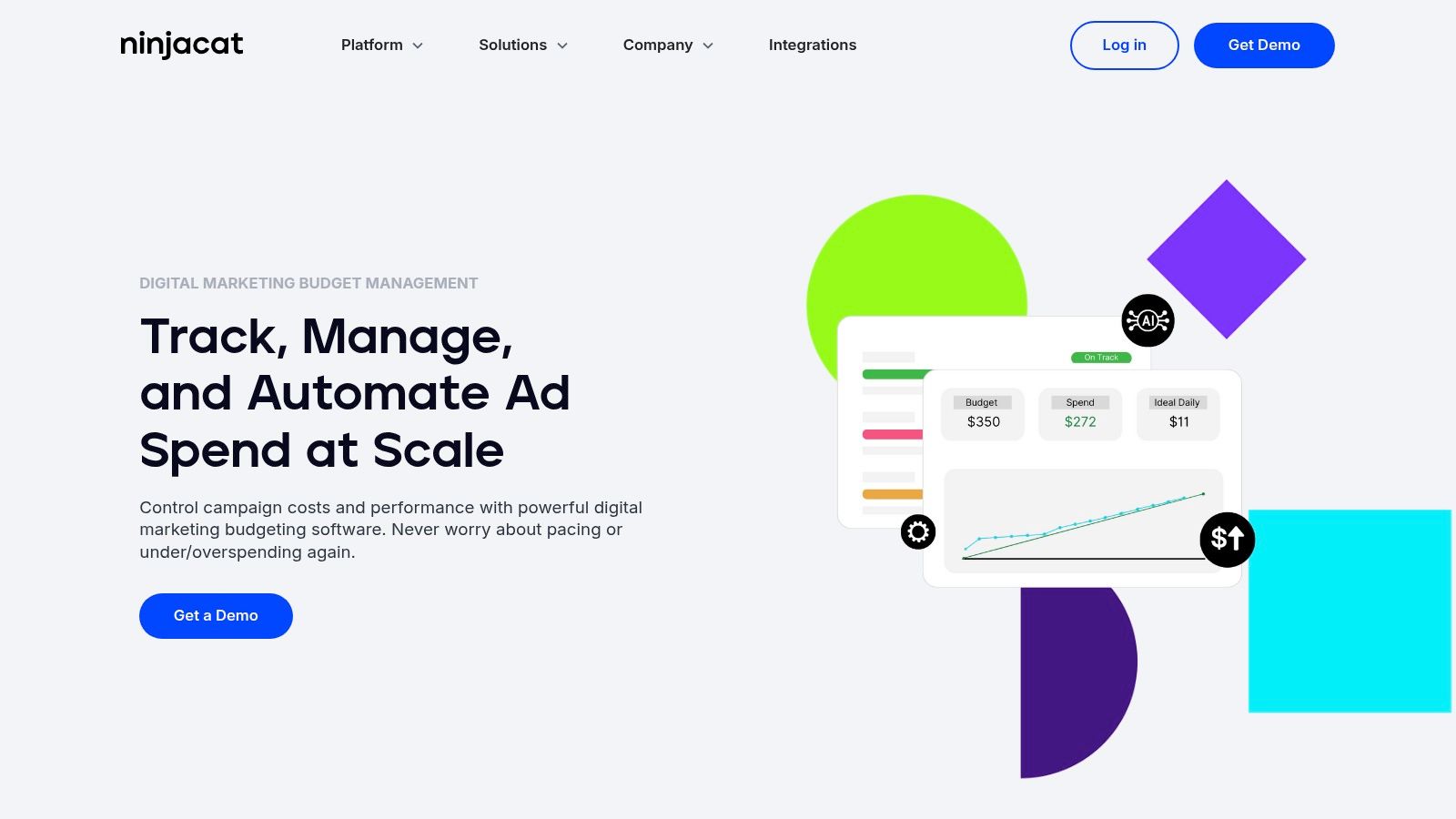
This tool is designed for the chaos of agency life. It lets you set monthly caps, and its AutoPilot feature automatically adjusts daily budgets to keep campaigns on track. No more panicked end-of-month shuffling. It consolidates spending from different platforms, making it simple to see a client's total ad investment in one place. It’s less about creative optimization and more about financial control.
Key features
- Automated budget pacing: Set a total budget and the system automatically adjusts daily spend to hit your monthly target.
- Overspend protection: Get alerts or automatically pause campaigns when they approach their spending limits.
- Cross-platform spend consolidation: View and manage budgets across Google, Microsoft, Facebook, and other ad networks in one interface.
Pros and cons
Pros:
- Purpose-built to solve pacing and overspend issues at scale.
- Excellent for agencies managing many client accounts.
- Integrates natively into NinjaCat’s broader reporting suite.
Cons:
- Pricing isn't public; you have to go through a demo process.
- Focus is on budgets, not deep creative or keyword-level optimization.
Website: https://www.ninjacat.io/marketing-performance-management-platform/ppc-budget-management
7. Skai (formerly Kenshoo)
Skai, which you might remember as Kenshoo, is an absolute beast of a platform built for enterprise-level advertising. This isn't for a small business just dipping its toes into paid search; it’s designed for large organizations that need unified governance and cross-channel visibility. It brings search, social, and retail media advertising under one roof, giving big teams the control they need to manage massive budgets effectively.
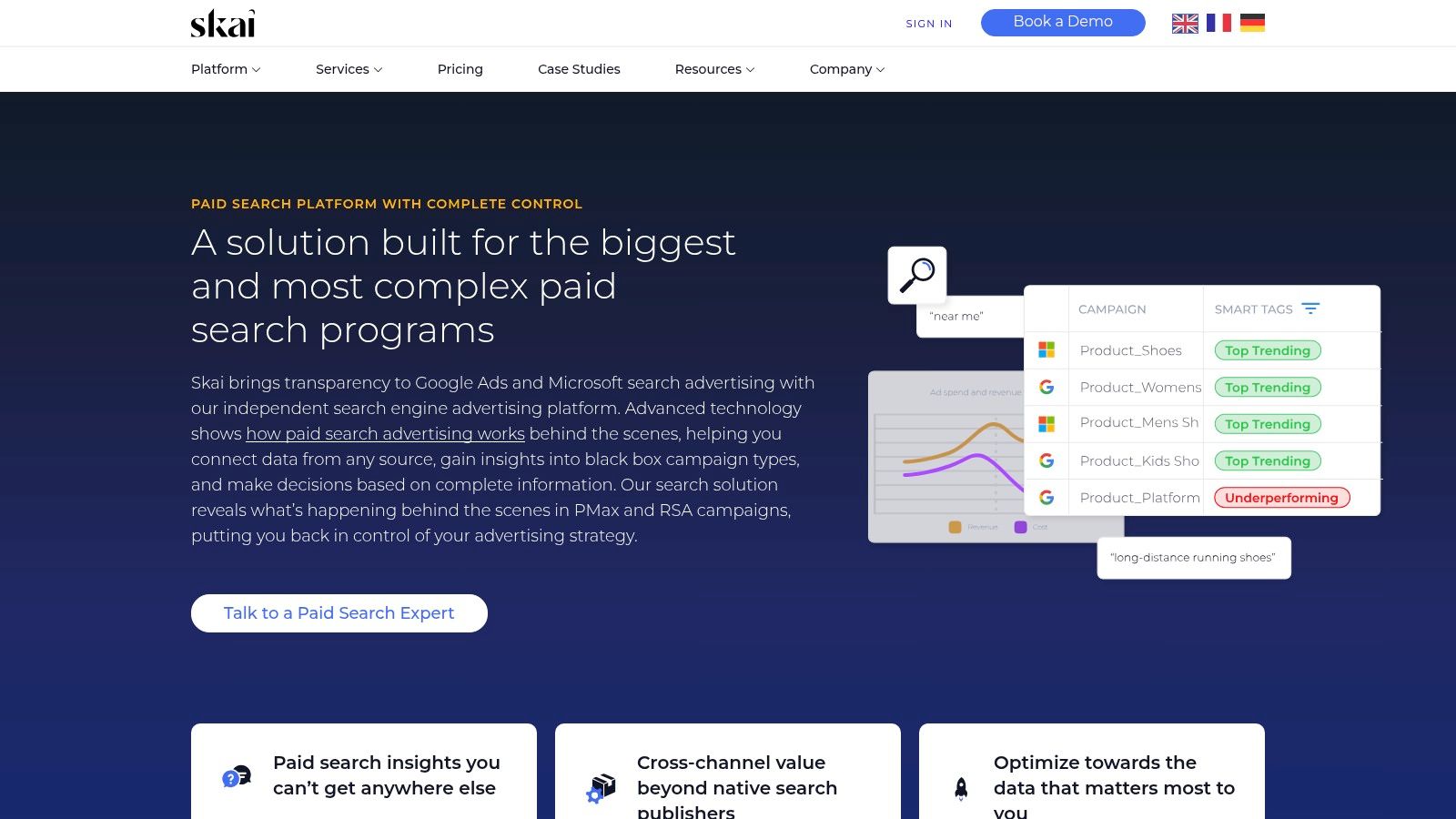
Think of it as mission control for your entire paid media operation. If your team is struggling to connect the dots between your Google Ads, Microsoft Advertising, and Amazon campaigns, Skai provides that single source of truth. It excels at automation for budget planning, bulk editing, and reporting across these different engines, making it a powerful piece of kit for those operating at scale.
Key features
- Paid search automation: Advanced tools for managing bids and budgets across Google and Microsoft from one interface.
- Bulk editing and cross-engine workflows: Use bulk sheets to make large-scale changes across different search engines simultaneously.
- Budget management: Sophisticated tools for planning, pacing, and optimizing budgets to hit your targets.
Pros and cons
Pros:
- Mature enterprise controls and excellent cross-channel visibility.
- Robust search term analysis and budgeting tools.
- Great for unifying large, siloed marketing teams.
Cons:
- Pricing is custom and aimed at the enterprise level, so it’s expensive.
- Can be too heavy and complex for SMBs.
Website: https://skai.io/search/
8. MarinOne (Marin Software)
MarinOne is for the big players who refuse to be siloed. If your campaigns span across search, social, and retail channels, this platform aims to be your unified command center. It’s built for enterprises and agencies managing serious complexity, providing a single source of truth for cross-network analytics, bidding, and reporting. Think of it as the connective tissue that brings Google, Meta, Amazon, and more under one roof.
The core idea is to break down data walls so you can make smarter, holistic decisions. Its strength lies in its ability to analyze performance across channels and automate actions based on that unified view. Instead of optimizing your Google Ads in a vacuum, you can see how it interacts with your Facebook campaigns.
Key features
- Bidding & budget pacing: Automated bidding strategies and dynamic budget allocation across different networks.
- Bulk management: Use bulk edits, uploads, scripts, and templates to make large-scale changes efficiently.
- Cross-channel analytics: Connectors pull data from search, social, and e-commerce for unified reporting.
Pros and cons
Pros:
- Strong multi-network coverage is perfect for large advertisers.
- Transparent pricing with published starting tiers and a clear plan matrix.
- Powerful reporting that unifies disparate data sources.
Cons:
- Some automation features are in "preview" or limited on lower-tier plans.
- Its recent acquisition might be a red flag for risk-averse buyers.
Website: https://www.marinsoftware.com
9. Search ads 360 (Google Marketing Platform)
Search Ads 360 is Google's own heavyweight champion for enterprise search management. If you're a massive advertiser spending serious money across multiple search engines and need everything to talk to the Google Marketing Platform (GMP), this is the tool built for you. It's less of a standalone app and more of a central nervous system for sprawling PPC programs that demand tight governance.
The platform’s real power comes from its native connection to the entire Google ecosystem, especially Analytics 360 and Floodlight for attribution. It provides unified campaign management and some of the most powerful bidding automation available, fed directly by Google’s own real-time data signals. It’s an enterprise-grade solution; not for the casual user.
Key features
- Smart bidding at scale: Access Google's most advanced bid strategies that use a massive array of real-time signals.
- Unified campaign management: Manage and report on campaigns across Google Ads, Microsoft Advertising, and other search engines from one interface.
- GMP integration: Deep, native connections to Analytics 360, Display & Video 360, and Floodlight for robust attribution.
Pros and cons
Pros:
- The deepest possible integration with the Google ecosystem.
- Proven and reliable for huge, complex programs.
- Powerful cross-engine reporting and bidding capabilities.
Cons:
- Comes with an enterprise sales cycle and non-public pricing.
- Total overkill for most small and medium-sized businesses.
- Less vendor-agnostic than independent platforms.
Website: https://marketingplatform.google.com/about/search-ads-360/
10. Channable
Channable is a different beast entirely. It’s not focused on optimizing bids but on automating the creation of your ads, especially if you have a massive product catalog. Think of it as a content factory for your PPC campaigns. It connects directly to your data feed and builds thousands of dynamic text ads for Google and Microsoft Ads automatically. This is a game-changer for e-commerce or any large-scale, feed-driven business.
The platform is built around a powerful rule engine that lets you manipulate your source data to generate highly relevant ads. It solves the creation problem at scale, rather than just the management problem. If you’ve ever tried to manually create ads for 10,000 different SKUs, you’ll immediately see why a tool like this is so valuable.
Key features
- Dynamic text ad creation: Generates ads for Google and Microsoft directly from any data feed (CSV, XML, Sheets, etc.).
- Rule-based feed optimization: Use if-then rules to clean up, enrich, and filter your product data before it becomes a campaign.
- Campaign & ad group syncing: Automatically updates, pauses, or creates new campaigns based on changes in your feed.
Pros and cons
Pros:
- Saves an incredible amount of time for large product or service catalogs.
- Highly flexible, supporting a wide range of feed sources.
- Keeps campaigns and product data perfectly in sync.
Cons:
- Primarily focused on feed-driven ad creation, not bid strategy optimization.
- The CSS discount benefit is only applicable in the EEA, not in the US.
Website: https://www.channable.com
11. Birch (formerly Revealbot)
Birch, which you might know as Revealbot, is a cross-platform rule engine for teams who live and breathe both paid search and paid social. Its strength isn't in deep, search-specific workflows, but in giving you a unified, if-this-then-that automation layer across Google, Meta, TikTok, and Snapchat. This is a big deal for teams trying to manage campaigns consistently across different channels.
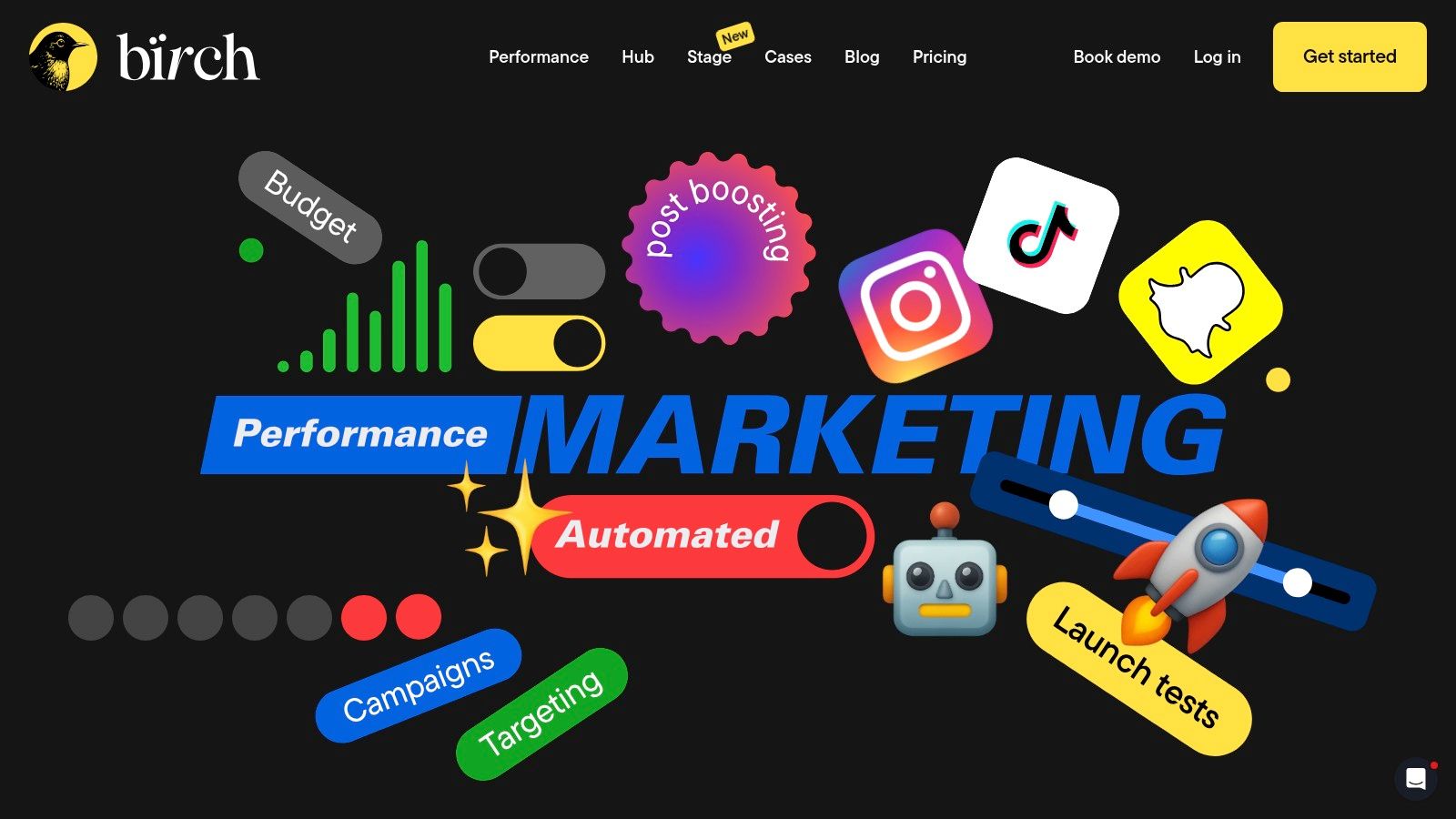
It excels at creating guardrails and simple scaling playbooks that can be applied everywhere. Think of it as a tactical automation tool. You can set rules to pause poor-performing ads on TikTok, scale a Google Ads campaign budget when ROAS hits a certain target, and get Slack alerts for all of it. Integrations with tools like Google Sheets add another layer of power, letting you pull in external data to trigger your rules.
Key features
- Cross-channel automated rules: Build automation strategies with custom metrics across Google, Meta, TikTok, and Snapchat.
- Creative & audience tools: Includes features for bulk-launching ad variations and managing audiences.
- Integrations: Connects directly with Slack for alerts and Google Sheets for reporting.
Pros and cons
Pros:
- Flexible rule logic for both Google Ads and paid social in one place.
- Fast to deploy guardrails and scaling playbooks across channels.
- Strong Slack integration for real-time notifications.
Cons:
- Pricing is tied to ad spend, which can get expensive as you scale.
- Less native depth for search-specific workflows compared to tools like SA360.
Website: https://bir.ch
12. Fluency (Digital Advertising Operating System)
Fluency isn't your average PPC tool; it's a full-on Digital Advertising Operating System (DAOS). Think of it less as an add-on and more as a foundational layer for large agencies that need to standardize their entire paid media operation. It's built for scale, allowing agencies to create repeatable blueprints for campaign creation, management, and reporting across multiple platforms. If you're managing dozens of similar client accounts, this is how you stop reinventing the wheel.
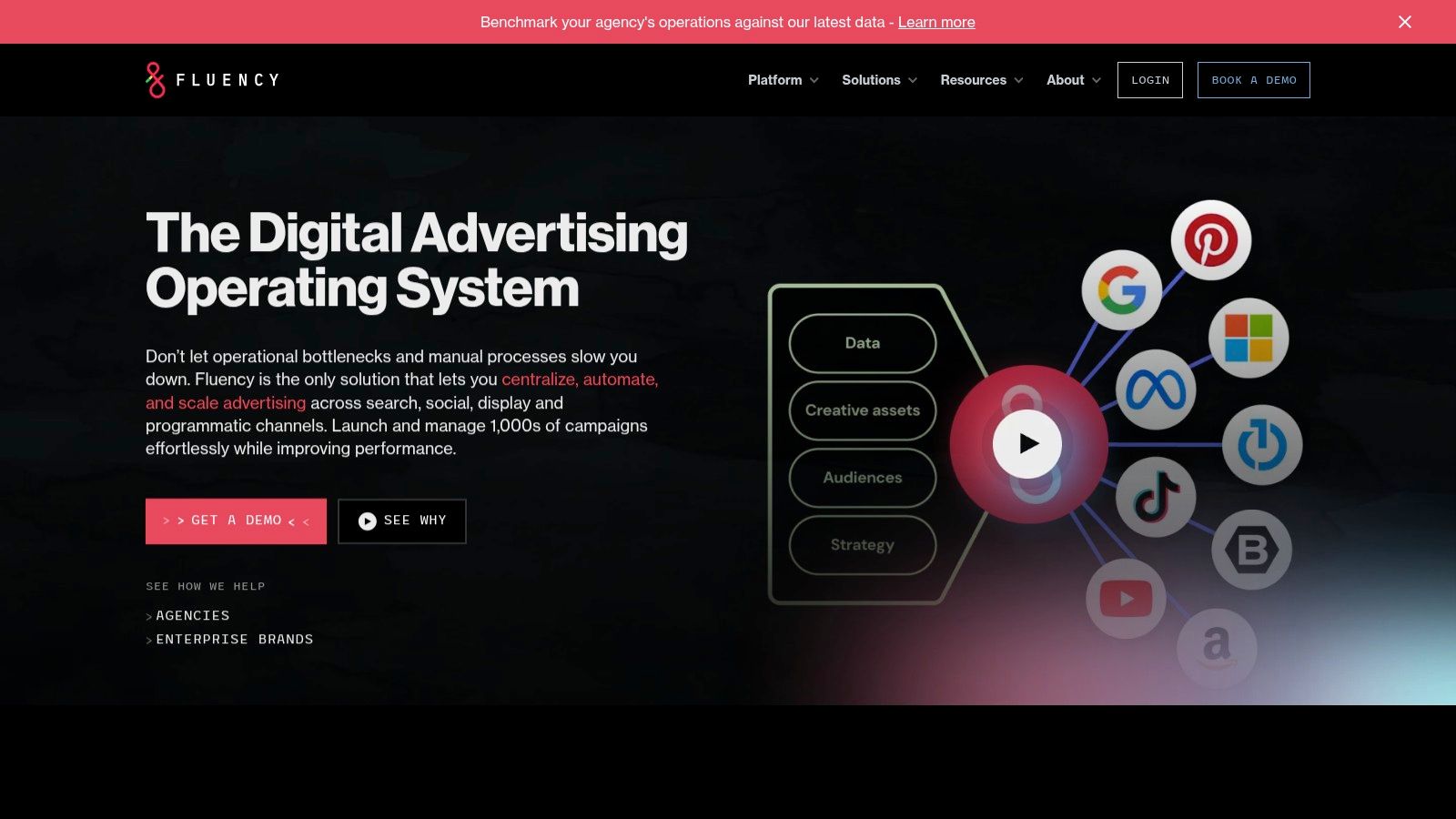
The core idea is operational efficiency. Fluency excels at turning complex, multi-platform workflows into templatized processes. This makes it a robust tool for agencies that want to enforce consistency and automate everything from campaign builds to budgeting. It connects disparate data sources and lets you manage the entire client lifecycle from a single hub.
Key features
- Campaign blueprints: Create and deploy templated campaign structures across Google Ads and other platforms.
- Budgeting automation: Set up multi-platform workflows to manage and pace budgets automatically.
- Data pipelines: Integrates with a wide range of data sources via sFTP, S3, Google Drive, and APIs.
Pros and cons
Pros:
- Purpose-built for agencies with repeatable client types.
- Deep operational automation and broad integration footprint.
- Standardizes workflows, ensuring consistency and quality.
Cons:
- Pricing is not public; requires a demo and enterprise sales process.
- Heavier setup to define blueprints compared to lighter tools.
Website: https://www.fluency.inc
Top 12 PPC automation tools: feature comparison
| Product | Core features | ★ Quality | 💰 Pricing & Value | 👥 Target | ✨ Unique selling point |
|---|---|---|---|---|---|
| dynares 🏆 | AI-generated keyword-specific ads, landing pages & forms; Auto A/B testing; conversion-value uploads; Google Ads/GTM/HubSpot integrations | 💰 Free → Business (€765/mo); transparent tiers | 👥 PPC managers, agencies, SMB growth teams | ✨ Revenue-aware optimization + scale personalization | |
| Optmyzr | Rule engine, audits, budget pacing, PMax tooling | 💰 Tiered; scales with spend/needs | 👥 Agencies & teams needing guardrails | ✨ Deep automation with transparent rules | |
| Opteo | Automated "Improvements", budget pacing, reports, Slack alerts | 💰 Agency-friendly pricing; good value for multi-account | 👥 Lean teams & agencies wanting fast optimizations | ✨ Actionable one-click improvements workflow | |
| Adalysis | Automated A/B testing (single/multi), 100+ audits, diagnostics | 💰 Subscription; strong ROI for testing-heavy accounts | 👥 Teams prioritizing systematic ad testing | ✨ Best-in-class ad testing automation | |
| PPC Samurai | Rule-based automations, cross-account bulk actions, templates | 💰 Demo/contact for pricing | 👥 Agencies standardizing processes | ✨ Codify repeatable optimization blueprints | |
| NinjaCat Budget Mgmt | Automated pacing, overspend protection, alerts, AI recommendations | 💰 Demo / custom pricing | 👥 Multi-account finance & ops teams | ✨ Purpose-built high-scale budget control | |
| Skai (Kenshoo) | Paid search automation, bulk editing, cross-channel reporting | 💰 Enterprise pricing (custom) | 👥 Large teams & enterprise advertisers | ✨ Unified cross-channel governance & visibility | |
| MarinOne | Bidding, pacing, bulk edits, cross-channel connectors | 💰 Published starting tiers; enterprise options | 👥 Agencies & enterprises needing multi-network | ✨ Clear plan matrix + multi-network coverage | |
| Search Ads 360 | Real-time bidding, unified cross-engine mgmt, GMP integrations | 💰 Enterprise sales/pricing | 👥 Large/complex programs & GMP users | ✨ Deepest native Google Marketing Platform integration | |
| Channable | Feed-driven dynamic text ads, rule-based feed optimization, Shopping management | 💰 Tiered; great ROI for catalogs | 👥 E-commerce & catalog-heavy advertisers | ✨ Scales dynamic ad builds from product feeds | |
| Birch (Revealbot → Birch) | Cross-platform rules, audience tools, creative workflows, integrations | 💰 Spend/event-tiered pricing | 👥 Teams running paid social + search | ✨ Flexible cross-channel rule logic & fast guardrails | |
| Fluency (DAOS) | Campaign templating, budgeting automation, data pipelines & integrations | 💰 Enterprise/demo pricing | 👥 Agencies with repeatable blueprints | ✨ Operatingsystem for templatized agency ops |
Final thoughts
Alright, we've gone through a dozen PPC automation tools. It's a lot to take in. The main thing to remember is this: there is no single best tool. It’s a dumb question. The best tool is the one that actually solves your specific problems and fits how you work.
Thinking that any of these platforms will magically print money without any effort is a rookie mistake. These are not set it and forget it solutions. They are force multipliers. They automate the tedious, soul-crushing tasks so you can spend your brainpower on strategy, creative, and finding new growth channels. The goal is to elevate your work, not eliminate it. If you're just looking for a button to press, you're going to be disappointed.
How to choose your tool
Don't get paralyzed by choice. Narrow it down based on your reality. Are you a freelancer managing a few high-touch accounts? A tool like Opteo or Adalysis probably gives you the best bang for your buck. Running a large agency with complex client reporting needs? You’re likely looking at Optmyzr, PPC Samurai, or even NinjaCat.
Your decision should come down to a few key factors:
- Your core pain point: Is it tedious reporting? Inefficient bidding? A lack of quality alerts? Pick the tool that is sharpest at solving that one thing.
- Your team's skill level: Some tools require a fair bit of technical savvy. Be honest about your team's capacity to learn a new system.
- Your budget: This is obvious, but don't just look at the monthly fee. Consider the time saved and the potential performance lift. A tool that costs €500/month but saves 20 hours of manual work and increases ROAS by 15% is a no-brainer.
Implementing and what comes next
Once you've picked a tool, give it a real chance. Connect your accounts, run through the onboarding, and commit to using it for at least a month. The first week is always a bit clumsy, but you need to push through that to see the real value. A tool is only as good as the process built around it.
The future here is all about intelligence and integration. We're moving beyond simple rule-based automation. The next frontier involves genuine AI optimization that can predict market shifts and adjust campaigns proactively, much like a seasoned PPC manager would. Tools will become more predictive and less reactive, which is frankly exciting. The machines are getting smarter, which means we have to get smarter about how we use them. So, stop manually pulling reports and start thinking about the bigger picture. That's where the real wins are. 😉
Ready to see how deep, targeted automation can transform your Google Ads? We built dynares to solve the exact problems we faced running complex accounts. It’s not another all-in-one dashboard; it’s a focused tool for generating high-intent campaign structures and ad copy at scale. Try dynares and spend your time on strategy, not spreadsheets.


