Google Ads Conversion Tracking Setup: Stop Gambling, Start Winning

Let's be blunt. If you can't trace every single euro of your ad spend back to a real business outcome, you're not advertising—you're just gambling with the company's money. A proper Google Ads conversion tracking setup is the only thing standing between professional marketing and hopeful guesswork.
Why your Google Ads tracking is probably leaking money
Nearly every Google Ads account I audit is leaking cash, and the culprit is almost always the same: conversion tracking that's broken, incomplete, or stuck in the past. It's the silent killer of otherwise promising campaigns.
This isn't just about getting a lead notification. It's about knowing the precise value of that lead and exactly where it came from. Without a flawless setup, you're flying blind. Your Smart Bidding strategies are fed bad data, your optimization efforts are just shots in the dark, and you have no real clue what’s driving growth versus what’s just burning cash.
The real cost of bad data
Bad data doesn't just give you a slightly off picture; it actively pushes you to make terrible decisions.
You might scale up a campaign that churns out lots of cheap, low-quality leads while pausing the one bringing in fewer, more expensive leads that actually become high-value customers. This is how budgets disappear and founders get frustrated.
To really see how Google Ads impacts your bottom line, you have to understand what is revenue attribution and how it connects your marketing spend to actual revenue.
This isn't just theory. The average Google Ads conversion rate across industries was around 7.52% in 2025, a solid jump from the previous year. This tells us that even as competition gets tougher, well-optimized campaigns are more effective than ever—but they rely entirely on clean, accurate data.
What flawless tracking unlocks
Getting this right isn’t just about plugging leaks; it’s about building a foundation for scalable, predictable growth. Think of a rock-solid tracking setup as the non-negotiable prerequisite for any serious advertising.
Here’s what it gives you:
- Meaningful bidding: You can finally use value-based bidding strategies like Target ROAS. This tells Google’s AI to find you more high-value customers, not just more clicks.
- True performance insight: You get a clear line of sight from ad spend to actual revenue, empowering you to make much smarter budget decisions.
- Sustainable scaling: It gives you the confidence to increase your spend because you know exactly what return you're getting for every euro that goes out the door.
Ultimately, a precise Google Ads conversion tracking setup is what turns your ad account from a cost center into a growth engine. If you're serious about scaling, it’s not optional. It’s also the foundation for the more advanced PPC advertising strategies that really move the needle.
Building your tracking foundation with Google Tag Manager

Let's get straight to the point. If you’re still emailing your developers to add a new marketing script to your website, you’re operating with one hand tied behind your back. It’s slow, it’s frustrating, and it’s an incredible waste of your tech team’s time. This isn’t 2015.
The professional, scalable way to handle a Google Ads conversion tracking setup is with Google Tag Manager (GTM). If you're not using it, you're not just behind; you're creating a permanent bottleneck for your own growth.
Think of GTM as the central command center for all your marketing and analytics tags. It completely decouples your marketing operations from the development cycle, letting you deploy, test, and manage everything on your own schedule. For any serious business that needs to move fast, this is non-negotiable.
Why GTM Is a PPC manager’s best friend
The industry-wide shift to Google Tag Manager isn't just a trend. It's a direct response to the reality of the modern web. Old-school methods, like pasting a Google Ads pixel directly on your site, are becoming less and less reliable. They're fragile, easily broken by ad blockers, and vulnerable to browser privacy updates that can wreck your data accuracy.
GTM gives you a critical layer of control and agility. Need to add a LinkedIn Insight Tag? A HubSpot tracking code? You can do it yourself in minutes, test it in preview mode, and publish it without a single line of code touching your site’s repository. This independence is everything.
For any marketing team, speed is a competitive advantage. GTM gives you the autonomy to execute without creating a dependency on engineering. It’s not just a convenience; it’s how you stay ahead.
This is about building a tracking infrastructure that’s resilient and ready for the future. You’re not just pasting scripts; you’re architecting a system. And as you scale, having a centralized hub like GTM becomes absolutely essential. It also opens the door to connect powerful tools directly into your data flow, like our Google Tag Manager integration.
The two tags you absolutely must have for Google Ads
Getting started with GTM for your Google Ads conversion tracking setup is much simpler than it sounds. You don’t need to be a JavaScript expert. Right now, your entire focus should be on implementing two fundamental tags.
These two tags are the bedrock of your Google Ads tracking: the Google Tag and the Conversion Linker. The Google Tag is the mothership; it’s the main tag that connects your GTM container to your Google Ads account, lets you build remarketing audiences, and acts as the foundation for every other Google Ads tag you’ll ever create.
The Conversion Linker tag is absolutely critical but so often overlooked. Its job is to store ad click information in first-party cookies on your domain. Why does this matter? Because it’s your primary defense against data loss from browser privacy updates like Intelligent Tracking Prevention (ITP) that are systematically destroying third-party cookies. Without it, you’ll see a massive drop in attributed conversions because Google Ads can no longer connect a conversion back to the original ad click. It's a simple tag that should be set to fire on all pages, but its impact is enormous. Do not skip this.
Client-side vs. server-side GTM: The next frontier
Once you’ve nailed the basics, the conversation naturally shifts to server-side GTM. While the standard client-side setup is a massive improvement over manual coding, it still executes in the user's browser, leaving it exposed to ad blockers and other interruptions.
Server-side GTM changes the game by moving tag execution from the user's browser to a secure server environment that you control.
You get a much clearer picture when you compare them side-by-side.
| Client-Side vs Server-Side GTM – A Quick Comparison | |||
|---|---|---|---|
| Tracking Method | How It Works | Key Advantage | Main Weakness |
| Client-Side GTM | Tags and scripts run directly in the user's web browser. | Easy to set up and manage, making it great for getting started quickly. | Vulnerable to ad blockers, browser restrictions, and third-party cookie limitations. |
| Server-Side GTM | Data is sent to your own server first, then distributed to marketing platforms. | Unmatched data accuracy, faster page loads, and enhanced security. | More technical to implement and requires a server environment. |
While client-side is the perfect starting point, moving to a server-side setup is no longer a question of if, but when for any ambitious company. It’s the new gold standard for building a truly robust and accurate Google Ads conversion tracking setup. Master the client-side first, then start planning your migration.
Defining conversion actions that actually drive business value
Alright, let's get one thing straight: not all conversions are created equal.
A newsletter signup from a student is not the same as a demo request from a 50-person company. This is where most Google Ads conversion tracking setups fall flat, and it's a dumb, expensive mistake to make.
If your setup treats every conversion as a simple +1, you're feeding Google's AI junk food. It can't tell the difference between a tire-kicker and your next enterprise client. This section is all about defining specific, meaningful conversion actions inside Google Ads that reflect what's actually happening in your business. We're moving beyond generic "leads" and "purchases" to track what truly matters to your bottom line.
Moving beyond generic conversion tracking
Most businesses start with a single "Contact Us" form submission as their main conversion. It's a start, but it's incredibly shortsighted. A truly effective Google Ads conversion tracking setup maps out the entire customer journey, creating distinct conversion actions for different stages of the funnel.
This means you need to think critically about what actions signal increasing intent. Someone downloading a free ebook is interested. Someone signing up for a webinar is more engaged. Someone booking a sales call is a high-intent, qualified lead. Each of these is a valuable micro-conversion that deserves to be tracked. Why bother? Because this granularity is what trains Google's bidding algorithms. You’re no longer just asking Google for conversions; you’re asking it to find you the most profitable customers. You're teaching it what a good lead actually looks like.
Assigning values that reflect reality
Creating different conversion actions is only half the battle. The other, arguably more critical half, is assigning accurate values to them. Without values, Google’s AI has no way to prioritize. A €1 conversion and a €1,000 conversion look identical in its eyes.
Here’s a practical breakdown of how to approach this:
- For E-commerce: This is the easy one. You absolutely must use dynamic revenue values. The value of the conversion should be the actual cart total from the sale. Anything less is just lazy. This is the only way to directly optimize for Return On Ad Spend (ROAS).
- For lead generation (SaaS/B2B): This requires a bit more thought but is where the real magic happens. Work backward from your sales data. If you know that 1 in 10 demo requests becomes a customer with a lifetime value of €5,000, then each demo request is worth €500 (€5,000 / 10).
- For micro-conversions: Even top-of-funnel actions have value. If you know 1 in 20 ebook downloads eventually requests a demo, and a demo is worth €500, then an ebook download is worth €25 (€500 / 20). Assign these static values to your micro-conversion actions in Google Ads.
This process completely transforms your ad account. Suddenly, Google’s algorithms can see that while "ebook downloads" are plentiful and cheap, "demo requests" are the real prize and are worth bidding much more aggressively for. You're telling Google to find you leads that look like the ones who actually pay you. This simple shift in thinking is the difference between a campaign that breaks even and one that drives explosive growth.
Why this granularity matters in 2026
Getting this level of detail isn't just a "nice-to-have" anymore. The cost dynamics of Google Ads are forcing our hands. Data from over 16,000 U.S. campaigns reveals just how much conversion costs can vary. High-intent phone call conversions can have a median cost between $48 and $90. Web form submissions are slightly cheaper, typically costing $35 to $80, while e-commerce purchases can be as low as $15 to $45.
Without assigning proper values, you have no way to know if paying $90 for a phone call is a brilliant investment or a catastrophic waste of money. The value is what dictates the acceptable cost.
Primary vs. secondary conversion actions
Google understands that not all tracked actions should influence bidding. This is where the concept of "Primary" and "Secondary" actions comes in, and it's a powerful tool for a clean Google Ads conversion tracking setup.
Here’s how to use them strategically: Primary Actions are your money-makers. They count towards the "Conversions" column and directly influence your smart bidding strategies. Your key lead form submissions, sales calls, and purchases should always be set as Primary.
Secondary Actions are for observation only. They are valuable signals of engagement but aren't your core business objective. Things like newsletter signups, "add to cart" events (without a purchase), or significant page views are perfect candidates. They'll show up in the "All conversions" column but won't mess with your bidding algorithms.
This separation keeps your core optimization data clean while still giving you a holistic view of user behavior. It’s an elegant solution to a common problem, allowing you to track everything without diluting the signals that matter most. You're building a smarter, more focused advertising machine, one defined action at a time.
Using enhanced conversions and offline data imports
Alright, let's move past the basics. If you've got standard tracking humming along, it's time to build a professional-grade setup—one that’s resilient to the privacy shifts that are constantly changing the game. Relying on standard tracking alone is like building a house on shifting sand. It’s just not enough anymore.
The internet is ditching third-party cookies, which is great for user privacy but can absolutely wreck your attribution. Enhanced Conversions for web is your first line of defense against this data loss. It’s Google’s method for helping you reclaim conversions that would otherwise just disappear.
Fighting data loss with enhanced conversions
So, what exactly is it? In short, Enhanced Conversions lets you securely send hashed, first-party customer data from your website straight to Google. When someone fills out a form, you capture their email, hash it (a fancy way of scrambling it for security), and send it along with the conversion signal.
Google then takes that hashed data and tries to match it against signed-in Google accounts that saw or clicked your ad. If it finds a match, boom—you get to attribute a conversion that cookie-based methods would have missed. It's a clever and, frankly, necessary workaround in a world with more tracking restrictions.
Setting this up via Google Tag Manager isn't a massive project, but it demands precision. This isn't optional anymore for anyone who's serious about accurate measurement. A solid first-party data strategy is the foundation for making advanced features like this work properly.
Closing the loop with offline conversion imports
Now for the ultimate source of truth: your CRM.
Your website can tell you who filled out a form, but only your CRM knows who actually became a paying customer. This is the gap that separates good advertisers from great ones, and Offline Conversion Imports is how you bridge it.
This process involves feeding your real sales data back into Google Ads, creating a closed loop between ad clicks and tangible revenue. It’s the final piece of the puzzle for any business with a sales cycle that doesn't happen entirely online.
Here’s the high-level game plan: Capture the GCLID. When a user clicks your ad, Google tacks on a unique parameter called the Google Click ID, or GCLID. You absolutely must capture and store this ID in your CRM alongside the lead's info. It's the unique key that ties everything together. Then, you track sales in your CRM. Your sales team does their thing. When a lead converts to a customer, you update their status in the CRM. Now you have a lead, their GCLID, and the revenue they generated. Finally, you upload the data. You then cook up a file with the GCLID, conversion name ("Closed Deal"), conversion time, and—most importantly—the deal value. This file gets uploaded back into Google Ads.
This isn't just a reporting feature; it's a strategic weapon. You're now training Google's AI to optimize for closed deals, not just cheap form fills. You're telling the algorithm exactly what a profitable customer looks like, backed by actual financial data.
This visual shows the journey from a low-value action to a high-value purchase.
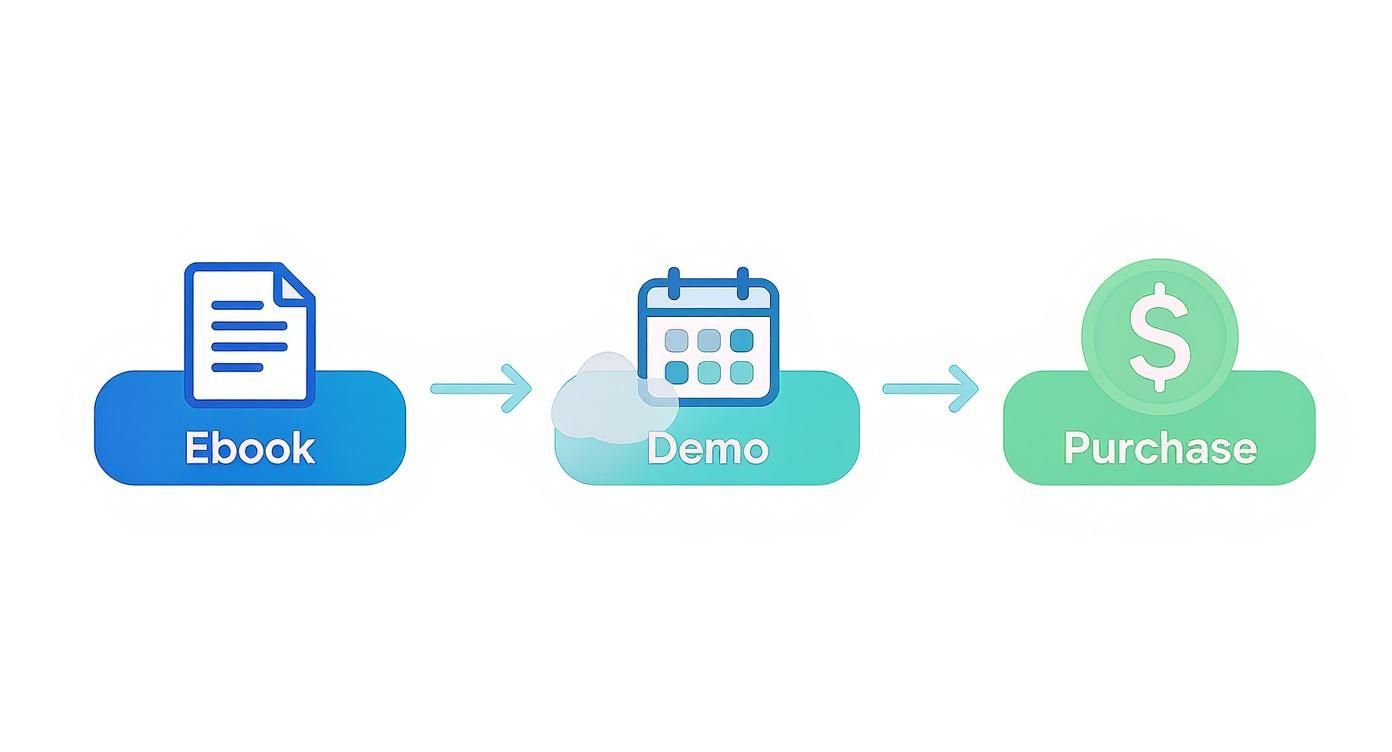
This process highlights how you can assign increasing value as a prospect moves through your funnel, which is exactly what offline imports allow you to perfect.
This is how you build an unstoppable advertising engine. By feeding real revenue data back into the platform, your bidding strategies become exponentially smarter. You stop guessing what a lead is worth and start operating on pure, undeniable financial truth.
The manual upload process can be a pain, which is why automation is key. For those looking to scale this without the headache of constant CSV uploads, exploring platforms that offer automated conversion uploads and value attribution is the logical next step. It lets you focus on strategy, not spreadsheets.
By combining Enhanced Conversions to capture more data upfront and Offline Conversion Imports to qualify it with real revenue, you create a truly formidable Google Ads conversion tracking setup. This is how you build a system that not only survives but thrives in the future.
How to test and troubleshoot your tracking setup
Let's be brutally honest: a tracking setup you haven't tested is a broken tracking setup. Never, ever assume that just because you published the container, everything is working perfectly.
Hope is not a strategy. Blind faith in technology is a fantastic way to burn through an ad budget.
You have to validate your work. This isn't just a best practice; it's a non-negotiable step for anyone who respects their own time and their client's money. The goal here is simple: achieve complete confidence in your data so you can make decisions without a shred of doubt.
Your first stop: GTM preview mode
Before anything else, Google Tag Manager's Preview mode is your new best friend. It’s a sandbox where you can see exactly what’s happening on your site in real-time, without polluting your live user data. It’s incredibly powerful, and frankly, it's just lazy not to use it religiously.
When you enter Preview mode, you can navigate your site just like a user would. Click the buttons, fill out the forms, and complete the actions you defined as conversions.
The debug window shows you precisely which tags fired and, just as importantly, which ones didn't. You can inspect the data being passed with each event, making sure your variables are pulling the correct information—especially for those critical dynamic revenue values. If you need a refresher, we've covered the fundamentals in our guide on how to use Google Tag Manager.
Using Google Ads diagnostics tools
Once you've confirmed your tags are firing correctly in GTM, the next step is to see if Google Ads is actually receiving the data. Inside your Google Ads account, head over to the Goals > Conversions section.
Here, you'll find a status column for each conversion action you’ve created.
This dashboard is your health check. It tells you if Google has seen any conversion activity recently and if it recognizes your tag as properly installed. After going live, you're looking for the status to change to "Recording conversions".
If it's stuck on "Inactive" or "Unverified" for more than 24 hours after you know for a fact conversions have occurred, you have a problem. This status column is your first indicator that something is broken between your website and the Google Ads platform.
Don't just set it and forget it. A quick weekly glance at this conversions dashboard can save you from weeks of corrupted data. It takes 30 seconds and is one of the highest-leverage habits a PPC manager can have.
A practical troubleshooting checklist
When things inevitably break—and they will—panic is useless. You just need a logical process to diagnose the issue. Most problems with a Google Ads conversion tracking setup fall into a few common buckets.
Here's a simple checklist to run through when your data looks off or a tag isn't firing:
- Is the conversion linker firing? This is often the first domino to fall. Check in GTM Preview mode that the Conversion Linker tag is firing on ALL pages. No exceptions. If it’s not, your attribution will be shot.
- Are your triggers too specific (or too broad)? A common mistake is creating a trigger that relies on a CSS class that changes, or a URL with slight variations. Double-check your trigger conditions to ensure they are both precise enough to avoid misfires and flexible enough to capture all valid conversions.
- Check for data discrepancies: Are your Google Ads conversions wildly different from what you see in Google Analytics or your CRM? They will never match 100% due to different attribution models. However, if the trends are completely divergent, it often points to a setup issue, like one platform tracking something the other isn't.
- Is your tag status 'unverified'? This usually means Google hasn't seen a conversion fire in the last 7 days. Use the Google Tag Assistant extension to perform a live conversion on your site and see if the tag fires. If it does, the status should update within a day. If not, the problem is likely with the tag implementation itself.
Frequently asked questions about conversion tracking
Let's cut through the noise. These are the questions I get asked most often when I'm digging into a Google Ads conversion tracking setup with other founders and marketers. Here are the straight, no-fluff answers.
How often should I check my conversion tracking?
Never, ever "set it and forget it." That’s a rookie move that always ends in expensive, data-driven mistakes. The hard truth is that things break. A website update, a plugin conflict, or simple human error can silently kill your tracking without any warning.
Here’s a practical rhythm I stick to: a quick weekly check and a proper quarterly audit. Weekly, do a 30-second sanity check in the Google Ads UI. Just navigate to Goals > Conversions and scan the status column. All you're looking for is that reassuring green "Recording conversions" status next to your primary actions. Quarterly, or after any big site change, do a proper audit. Fire up GTM Preview mode and walk through your key funnels yourself. Fill out the forms, click the buttons, and make sure every tag fires exactly as you expect it to.
This simple habit stops a tiny tracking error from poisoning your data for weeks on end, saving you from making awful optimization decisions based on bad information.
What is the biggest mistake people make with conversion values?
Easy. The absolute biggest mistake is not using them at all. The only thing worse is assigning the same dumb, arbitrary value—like "1"—to every single lead.
A contact form submission from a small startup is not worth the same as a demo request from a 500-person enterprise. Treating them as equal is strategically insane.
When you assign different, realistic values, you give Google's smart bidding the crucial signals it needs to understand which leads actually matter to your business. For e-commerce, the cardinal sin is not using dynamic revenue tracking. Without it, a €10 sale looks identical to a €1,000 sale in the eyes of the algorithm, which completely kneecaps any ROAS-based bidding strategy.
Can I track sales that happen offline?
Yes, and if your business has any kind of sales team or closes deals over the phone, you absolutely must. The tool for this is Offline Conversion Imports. It's the only way for a business with a real sales cycle to connect ad spend directly to actual, closed-won revenue.
The process involves capturing the Google Click ID (GCLID) from the initial ad click and storing it in your CRM alongside the lead's info. When your team finally closes the deal, you upload a file back to Google Ads containing that GCLID and the final revenue amount. It’s incredibly powerful because it trains the algorithm to find more people who look like your best paying customers, not just the ones who are good at filling out forms.
Why do my Google Ads conversions not match my CRM data?
They will almost never match 100%. That’s not a sign that your tracking is broken—it’s just how the different platforms work. Each one uses its own attribution model and records events differently.
Here’s why they don't line up perfectly: Google Ads often gives conversion credit to the date of the ad click. Your CRM, on the other hand, records the sale on the date the deal closes, which could be weeks or even months later. Google is also far better at connecting the dots when a user clicks an ad on their phone but later converts on their desktop. Your CRM will likely see these as two separate, unrelated users.
The goal isn't a perfect one-to-one match. The goal is to ensure the data is directionally correct. As long as the trends in both platforms are moving in the same direction, you can trust that your Google Ads conversion tracking setup is feeding the right signals to scale your campaigns effectively.
Stop letting bad data dictate your ad budget. dynares closes the loop by automatically uploading your true conversion values back into Google Ads, so you can optimize for revenue, not just leads. See how it works.