
Let's be real for a minute: dynamic keyword insertion sounds like a feature only a true PPC nerd could love. But if you're in the trenches with Google Ads every day, you know that the boring levers are often the most profitable ones.
DKI is one of them.
It's a Google Ads feature that sounds way more technical than it is. Think of it as a mail-merge for your ad headlines. You create a placeholder, and Google automatically swaps in the exact keyword someone searched for. Simple.
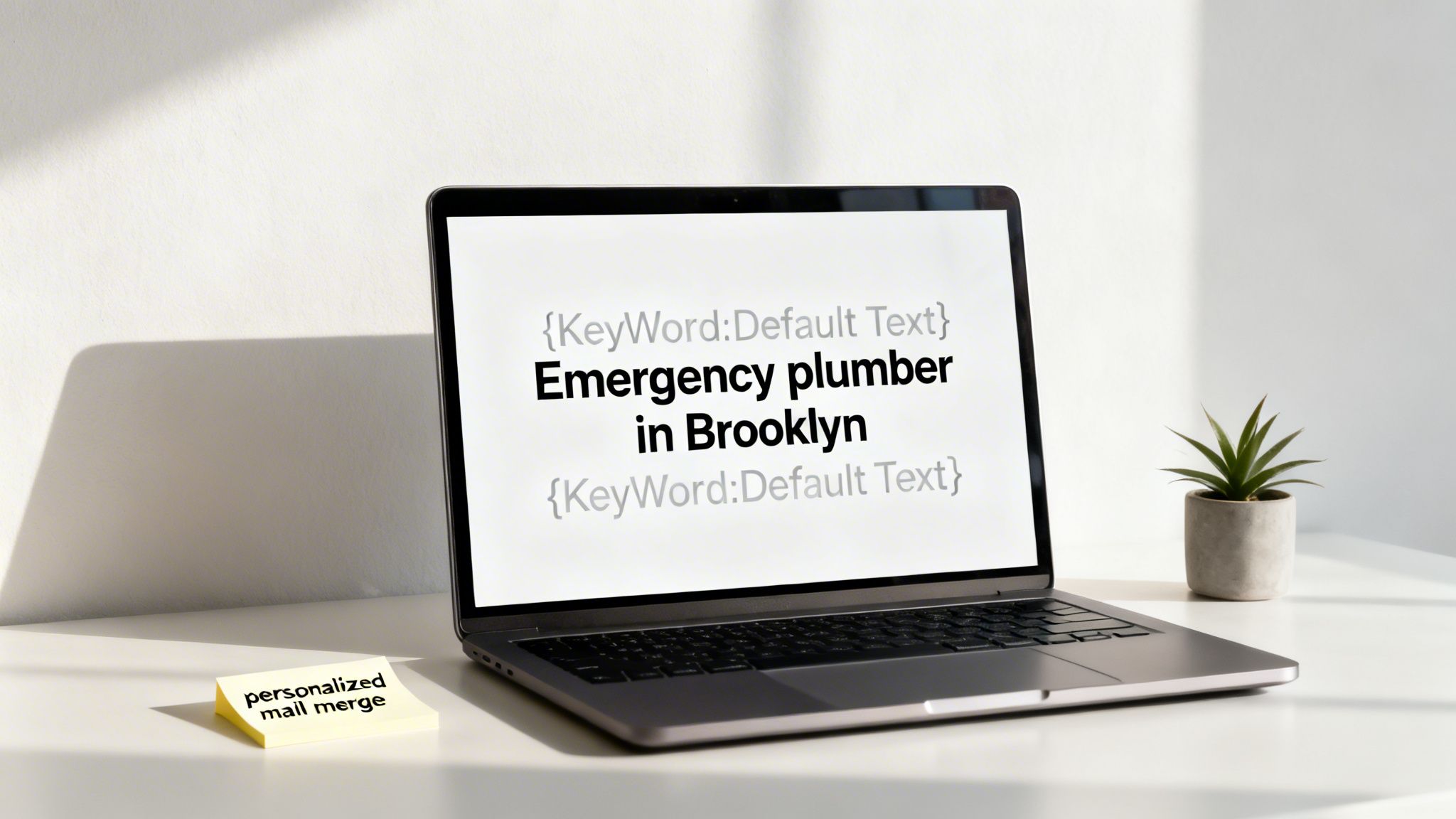
The impact is immediate. When a user sees their own search term reflected back at them in your ad, it creates a powerful connection. Your ad instantly feels more relevant than the generic ones around it. This isn't just about stroking a user's ego; it's a direct line to improving your Quality Score.
And why should you care about Quality Score? Because it's Google's reward system for relevance, and it directly leads to lower costs and better ad positions. It's one of the cleanest ways to make your campaigns more efficient without just lighting more of your budget on fire.
Before we get into the weeds, it helps to understand the basics of paid search marketing, where small features like DKI can make a huge difference. If you need a refresher, our own guide on what is paid search marketing has you covered.
The results speak for themselves. In one well-documented case, ads using DKI saw their conversion rates jump from 4.17% to 7.67%. Even better, the Cost Per Acquisition (CPA) plummeted by nearly $100. This happens because that spike in relevance improves your Expected CTR—a core ingredient of Quality Score.
Why syntax is so important
The magic happens with a little piece of code: {KeyWord:Default Text}. Getting this syntax right is the foundation for scaling any serious lead-gen campaign. It's not just a technicality; it’s about control.
- It controls capitalization. How you format
KeyWorddictates how the term shows up in your ad (e.g., Title Case vs. sentence case). - It provides a safety net. The Default Text is your fallback. It's what appears if the search query is too long or violates a policy. Never, ever neglect this part.
- It keeps your messaging on-brand. A well-structured DKI tag prevents the awkward, clunky phrasing that makes your ads look sloppy and kills trust before the click even happens.
Mastering this syntax isn't just a neat trick. For those of us building and scaling businesses on the back of paid search, it's a fundamental tactic for profitable growth.
DKI syntax functions explained
The way you capitalize the {KeyWord} tag tells Google exactly how you want the inserted keyword to appear. It's a small detail that has a big impact on how professional your ad looks.
Here’s a quick breakdown of how each function works:
| Syntax | Example Keyword | What the User Sees in the Ad |
|---|---|---|
| {KeyWord:Default Text} | emergency plumber | Emergency Plumber |
| {keyword:Default Text} | emergency plumber | emergency plumber |
| {Keyword:Default Text} | emergency plumber | Emergency plumber |
As you can see, KeyWord (Title Case) is usually the go-to for headlines, as it looks the most polished. Using the wrong function can lead to some pretty awkward-looking ads, so it's worth getting this right from the start.
The good, the bad, and the ugly of DKI
Look, dynamic keyword insertion is a powerful tool, but it's not a magic bullet. Let’s be real about it. When it works, it’s brilliant. When it fails, it can be a spectacular waste of money. Understanding both sides is the key to using it well.
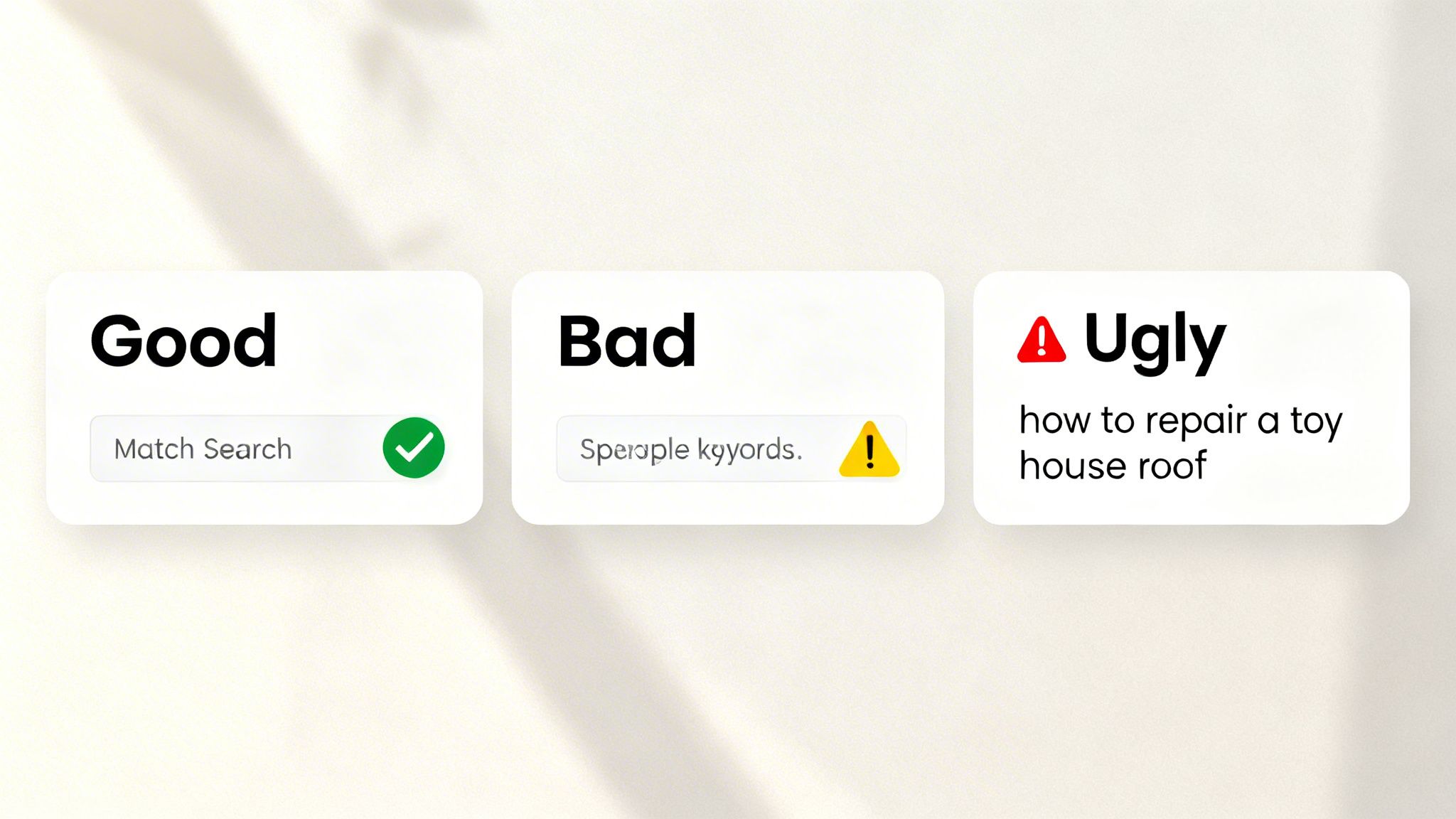
The good: hyper-relevance wins clicks
The upside of DKI is obvious and incredibly appealing. We’re talking about creating an almost perfect match between what someone searches and what your ad says, which directly leads to higher Click-Through Rates (CTR) and a better Quality Score.
Imagine a user frantically searching for 'emergency plumber in brooklyn'. Your ad headline instantly mirrors that back to them: 'Emergency Plumber In Brooklyn'. In that split second, you’ve won the most important battle for their attention. That instant connection tells them you have exactly what they need, building trust before they even click. For anyone focused on lead generation, this kind of precision can dramatically lower your Cost Per Acquisition (CPA) and make every dollar in your budget work harder.
The bad: unforced errors that kill credibility
Now for the downside. You can look like a total amateur if you aren't paying close attention. If you happen to be bidding on misspelled keywords, DKI will happily shove that typo right into your headline. An ad promising 'Plomber Servises Near Me' isn’t exactly going to inspire confidence in your work.
It gets even worse if you bid on competitor keywords. Picture your ad dynamically inserting a rival's brand name into your own headline. Not only is it unprofessional, but it’s also a fantastic way to get a slap on the wrist from Google for trademark violations. These are the kinds of unforced errors that can sink a campaign’s credibility fast.
The ugly: the broad match money pit
This is where things get truly messy and expensive. The ugly side of DKI emerges when you pair it with Broad Match keywords. Broad Match is designed to give Google’s AI maximum flexibility, but that same flexibility can become your worst enemy with DKI.
Combining broad match keywords with Dynamic Keyword Insertion is like handing a toddler a permanent marker in a white room. The potential for disaster is high, and the cleanup is always a headache.
This toxic combination can pull in completely irrelevant search queries and jam them into your ads, creating nonsensical headlines that drain your budget with absolutely zero chance of converting. Yes, this stuff actually happens.
To prevent it, you need a rock-solid strategy. A great place to start is building a comprehensive list of what you don't want to show up for. If this is new to you, learning the value of a strong negative keywords list is non-negotiable. Understanding this trade-off is what separates a profitable, scalable campaign from a money pit.
Setting up dynamic keyword insertion in Google Ads
Alright, let's get our hands dirty. Setting up Dynamic Keyword Insertion in Google Ads is pretty simple on the surface, but like anything in PPC, the details are what separate a profitable campaign from a money pit. The clicks and code are easy; the thinking is what matters.
I’ll walk you through the practical steps inside the Google Ads interface for your Responsive Search Ads. No fluff, just where to click and what to type. We’re focusing on the core syntax: {KeyWord:Your Fallback Text}.
This little piece of code is your command to Google. It says, 'Hey, try to slot the user's search keyword right here. If you can't for whatever reason, just use this other text I've provided instead.'
Implementing the DKI code
When you’re creating or editing a Responsive Search Ad, you'll see the usual fields for headlines and descriptions. To use DKI, you don't need a special button or setting—you just start typing a curly brace { right in the headline or description box.
Google’s ad editor is smart enough to know what you're doing and will immediately pop up a little helper menu. From there, you just select 'Keyword insertion.'
The screenshot below shows you exactly what this looks like in the Google Ads interface. It’s pretty intuitive once you do it the first time.
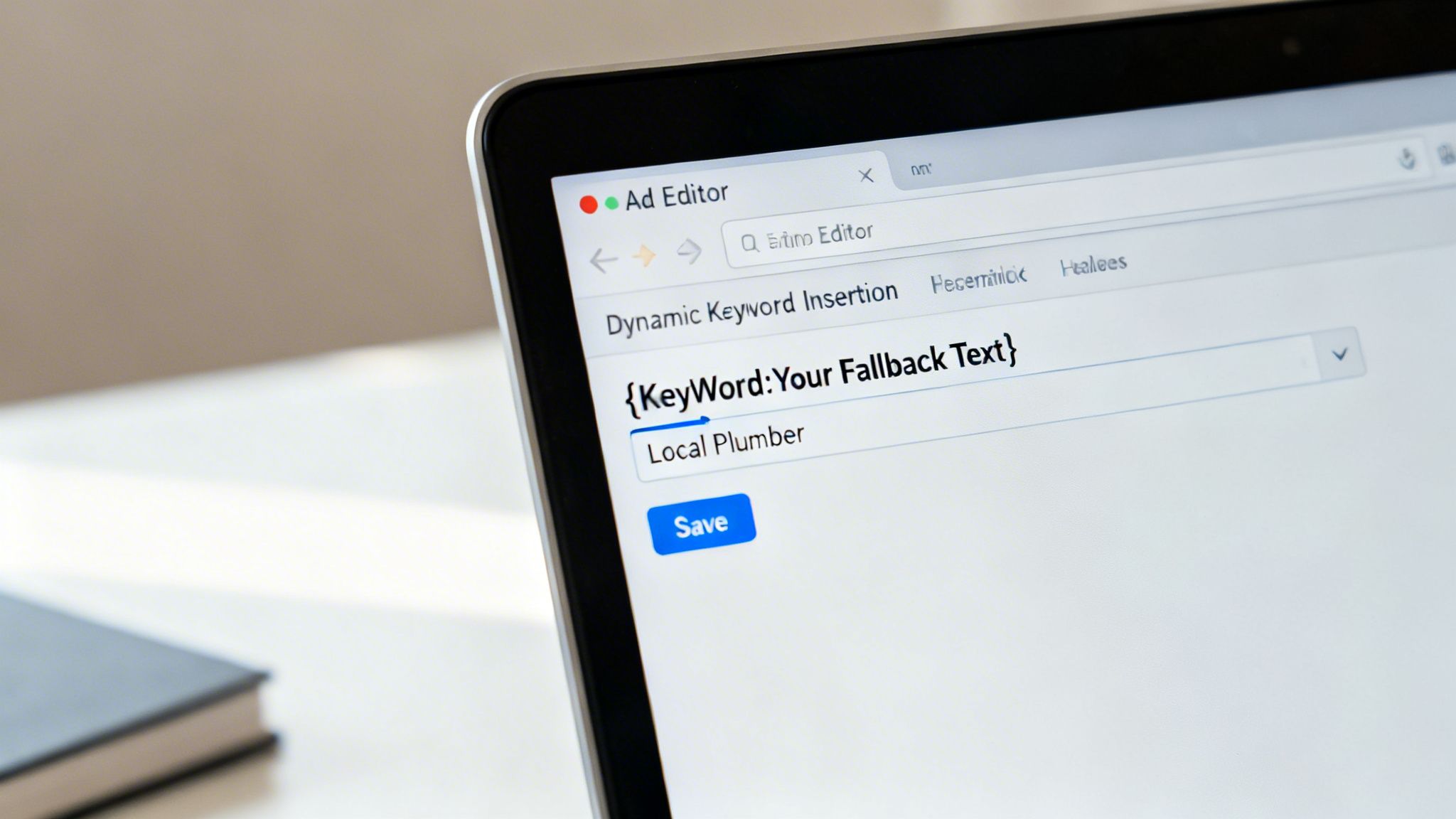
This prompt makes it easy to get the syntax right and choose your capitalization without having to memorize the exact format.
Once you select it, you just need to type in your default text. This is your safety net—the text that shows up if the user's query is too long, grammatically awkward, or violates a Google policy. Never, ever skip this. Your fallback text should be a solid, generic version of your headline that still makes perfect sense on its own.
Choosing your capitalization
Google will give you a few capitalization options. This isn’t a small detail; it directly impacts how professional and clean your ad looks to a real human.
- Title Case ({KeyWord}): This capitalizes The First Letter Of Every Word. This is your go-to for headlines. It looks sharp, professional, and is the standard for most ad copy.
- Sentence case ({Keyword}): This capitalizes only the first letter of the very first word. It's much better suited for descriptions where you want a more natural, sentence-like flow.
- Lower case ({keyword}): This makes all words lowercase. Honestly, it’s rare you’d ever use this. It can look sloppy and unprofessional unless you have a very specific, edgy brand voice that calls for it.
Getting your ad copy right is a mix of art and science, and small things like capitalization add up. For a deeper dive, check out our guide on ad copy best practices. The main takeaway is to always match the capitalization to where the text appears in the ad—headlines should look like headlines, and descriptions should read like sentences.
Best practices for DKI that actually save money
Using dynamic keyword insertion without a solid strategy is like handing Google a blank check. It's a wide-open invitation for wasted spend and ads that make absolutely no sense.
To turn DKI from a high-stakes gamble into a calculated, scalable tactic, you need to follow a few non-negotiable rules. These aren't just suggestions; they're the guardrails that keep your campaigns from driving straight off a cliff.
The first rule is the most important: never, ever use DKI with broad match keywords. Just don’t do it. The entire point of broad match is to give Google's AI maximum freedom to explore, but that freedom becomes your enemy when paired with DKI. You’ll end up inserting bizarre, irrelevant search queries directly into your ads. It's a mess.
Stick to phrase and exact match. This gives you tight control over what actually shows up in your headlines. This is professional PPC management, not amateur hour.
Structure your ad groups for relevance
Your campaign structure is the bedrock of successful DKI. You have to organize your ad groups into extremely tight, specific themes.
Think of each ad group as a laser-focused container for one specific user intent. An ad group for 'red running shoes' should only contain keywords directly related to red running shoes—not 'blue hiking boots' or 'men's athletic socks'.
This granular structure ensures that when DKI pulls a keyword, it’s always hyper-relevant to the ad it's being inserted into. This isn’t just good practice; it’s essential for maintaining a high Quality Score. For a deeper dive, it's worth understanding what Google Quality Score really cares about beyond the usual surface-level advice.
Your fallback text is not an afterthought
Every marketer using dynamic keyword insertion in Google Ads needs to treat their fallback text with respect. It’s not just a backup; it's a core component of your ad that will be shown a lot more often than you think.
Your fallback text must be a solid, well-written headline that makes perfect sense on its own and still drives clicks. Think of it as your control ad in an A/B test. It should be compelling enough to carry the weight when a user’s search term is too long or violates a Google policy. A weak fallback kills your ad's performance the moment it gets triggered.
To help you stay on track, here's a quick cheat sheet.
DKI do's and don'ts
This table is a quick reference guide to implementing Dynamic Keyword Insertion effectively and avoiding common, costly mistakes.
| Do | Don't |
|---|---|
| Use tightly themed ad groups to ensure relevance. | Never use DKI with Broad Match keywords. |
| Stick to Phrase and Exact Match for control. | Forget to write a strong, compelling fallback headline. |
| Regularly check your Search Term Report for odd queries. | Set it and forget it. DKI needs constant monitoring. |
| Add irrelevant search terms as negative keywords immediately. | Make your fallback text an obvious, generic placeholder. |
| Keep your default text concise to avoid truncation. | Ignore long-tail keywords that might be too long to fit. |
Following these simple rules is often the difference between a profitable DKI setup and one that quietly burns through your budget.
Your search term report is your source of truth. It tells you exactly what Google thinks your keywords are relevant for, and it’s often a sobering reality check.
Finally, you must live inside your search term report. This is where you'll find all the garbage queries that slipped through the cracks, even with phrase match. You need to review it religiously, at least once a week.
This routine maintenance is the difference between a campaign that scales and one that collapses under the weight of its own irrelevance. Sticking to these principles is what makes DKI a powerful tool for growth instead of a liability.
When to skip DKI and use better alternatives
Look, dynamic keyword insertion isn't a silver bullet. Sometimes, it’s just the wrong tool for the job, and forcing it is a rookie mistake.
Let's be candid—if you're running a tightly-focused brand campaign where every word matters, a carefully crafted, static headline will almost always outperform a dynamic one. When you need absolute control over your messaging, don't leave it to chance. DKI is about automation and relevance, but control is its natural trade-off. You give up precision to get scale.
When DKI creates more problems than it solves
Another classic scenario is with long-tail keywords that are just plain awkward. Shoving a search query like ‘plumber near me cost estimate cheap’ directly into a headline doesn't work. It looks clunky, unprofessional, and instantly breaks trust.
This is where you need to be smart enough to know your tool's limitations. If a keyword doesn't fit naturally into a sentence, forcing it with DKI is just bad marketing. Your goal is to connect with a human, not just match a search string. Recognizing when to use a static, controlled message is a key part of mature campaign management.
This decision tree gives you a simple way to think about whether dynamic keyword insertion is the right move.
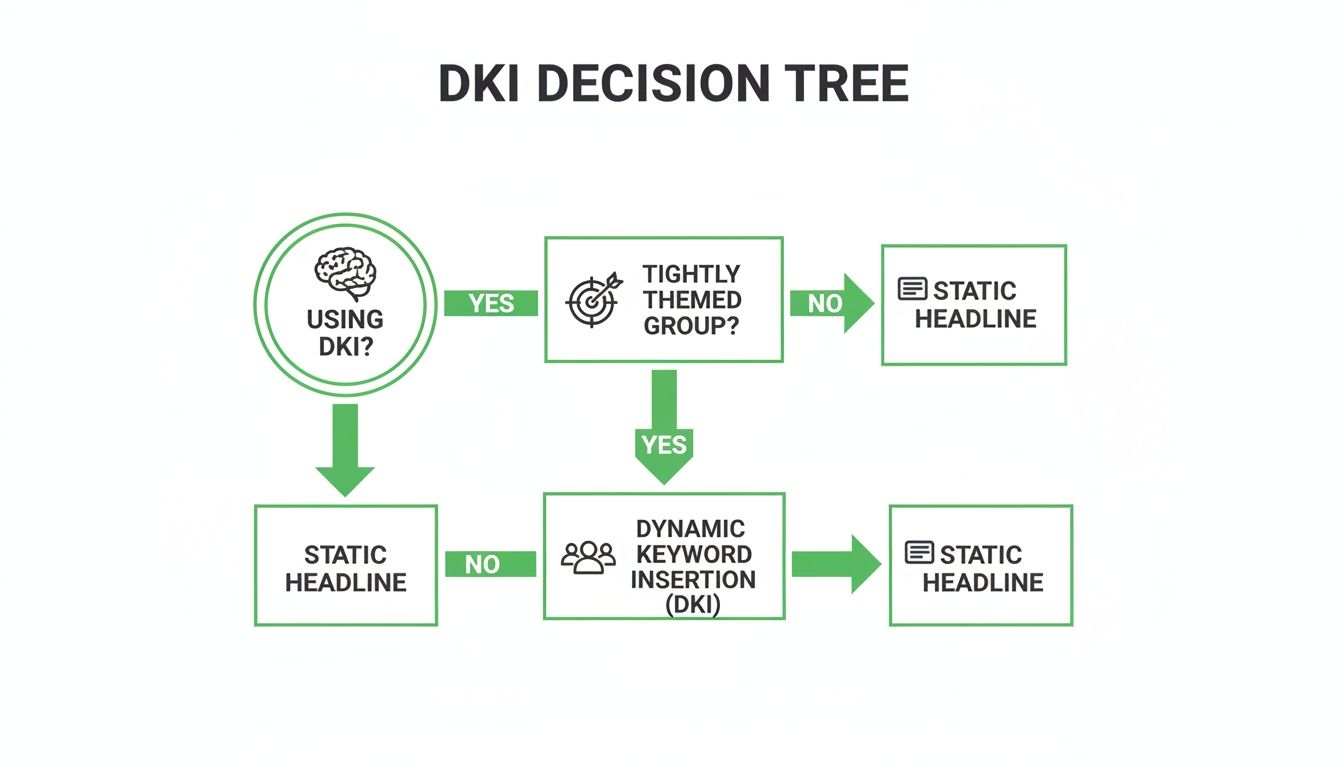
The key takeaway here is that DKI's effectiveness is directly tied to how tightly themed your ad groups are. Without that structure, a static headline is the safer, more reliable choice.
Smarter alternatives for true scalability
So, when DKI falls short, what are the alternatives?
- Ad Customizers: These offer far more control. They let you insert specific attributes beyond just the keyword, like price, inventory counts, or location-specific details. Think of it as DKI on steroids, giving you dynamic capabilities without sacrificing as much precision.
- Automation Platforms: For true scalability, this is where things get serious. Platforms like dynares take this concept to a whole new level. Instead of just swapping out a keyword, they generate thousands of unique, intent-matched ads and landing pages automatically.
This isn't just about dynamic text; it's about creating a completely dynamic user journey. Every ad is paired with its own hyper-relevant landing page, achieving a level of personalization that DKI alone can't touch.
This is the visionary step beyond basic ad features. It pairs each keyword with its own ecosystem, ensuring the message is consistent from the search query all the way through to the conversion. Knowing when to use DKI and when to upgrade your toolset is what separates good marketers from great ones.
How to measure success and troubleshoot DKI issues
If you can't measure it, you can't improve it. That’s not just some business school cliché; it’s the truth, especially in paid ads where every single click has a cost. So, how do you know if your fancy dynamic keyword insertion setup is actually working?
The first place to look is your Click-Through Rate (CTR). The cleanest way to test this is with a simple A/B test. Pit your DKI-powered ad against a static, 'pinned' headline within the same Responsive Search Ad. Let it run until you have enough data for statistical significance, then see which one pulled in a higher CTR.
But a high CTR is a vanity metric if it doesn't lead to business. A click that doesn't convert is just a hole in your budget. That’s why you have to track your Conversion Rate and, most importantly, your Cost Per Acquisition (CPA). A higher CTR that comes with a lower conversion rate and a higher CPA is a failure, plain and simple.
When things go wrong
No matter how careful you are, things will break. It’s the nature of building anything, whether it’s software or a marketing campaign. Your job is to spot the issues quickly and fix them without panicking.
The most common DKI headaches are usually easy to diagnose once you know what to look for. They often fall into a few predictable categories.
- Grammar and Capitalization Looks Weird: This is the most common and easiest fix. You likely used the wrong syntax. Did you use
{keyword},{Keyword}, or{KeyWord}? Each one formats capitalization differently, so double-check you’re using the right one for a headline versus a description. - Headlines Are Getting Cut Off: Your keyword is just too long to fit within Google's character limits. This is a clear sign that your fallback text needs to be more concise or that the specific long-tail keywords causing the problem aren’t a good fit for DKI.
- Ads Get Disapproved for Trademark Issues: You’re likely bidding on competitor brand names, and DKI is pulling them directly into your headline. This is a huge red flag. You should either stop bidding on those terms or use a static, carefully worded ad that doesn’t violate policy.
The goal isn't to avoid problems—it's to build a system that catches and fixes them fast. Your troubleshooting process is just as important as your initial setup.
This framework gives you a way to test, validate, and fix your implementation. Done right, dynamic keyword insertion becomes a consistent, predictable growth driver for your business.
Frequently asked questions about DKI
Alright, let's wrap this up with some quick answers to the questions that always pop up about Dynamic Keyword Insertion. No fluff, just the essentials you need to get moving.
Does DKI insert the user’s search query or my keyword?
This is a huge point of confusion, so let's clear it up. DKI inserts your keyword that was triggered by the user’s search—not the user’s exact, messy search query.
Think of it as a critical layer of control. It prevents completely random or misspelled text from appearing in your ads. It's a safety net, so your ads don't look dumb.
Is DKI still relevant with Performance Max and broad match?
Yes, but you have to be smarter about it. Using DKI with broad match is a risky game. It can work if you have a massive budget and tons of conversion data for the AI to learn from, but for most businesses, it’s a quick way to burn cash.
For controlled, predictable results, stick to using DKI with phrase and exact match keywords.
A key benefit of effective DKI is an improved click-through rate, which can directly impact your campaign's success. To dive deeper into optimizing this metric, you can learn how to improve click-through rates across all your marketing channels.
Can DKI hurt my Quality Score?
It absolutely can if you mess it up. A low Quality Score means you pay more for worse positions, and a few common DKI mistakes will get you there fast.
- Irrelevant Ads: If your ad groups are a mess, DKI will create ads that don’t match user intent, tanking your CTR.
- Grammatical Errors: Awkward phrasing makes you look unprofessional, which discourages clicks.
- Policy Violations: Inserting competitor trademarks can get your ads disapproved.
Get it right, and your Quality Score benefits. Get it wrong, and you're just paying more for clicks that don't convert.
At dynares, we built a platform that takes the principle of relevance to the next level, automatically generating thousands of intent-matched ads and landing pages. If you're ready to move beyond manual tweaks and achieve true scalability, check out how we do it at https://dynares.ai.


