
Let's be blunt: you're pumping money into Google Ads, getting clicks, but your conversion rates are garbage.
The silent killer is almost always page speed. It's not some abstract metric for your dev team; it’s a direct tax on your revenue and a massive drain on your Return On Ad Spend (ROAS).
Why your slow landing page is killing your ROAS
Every single millisecond your PPC landing page takes to load is actively costing you money.
You paid for that click. The user showed high intent by searching for what you sell. Then, you made them wait. It's a dumb, self-inflicted wound that cripples otherwise great campaigns.
This isn't just about appeasing Google's bots or chasing vanity scores. It's about stopping high-intent traffic from slipping away because your site couldn't keep up. For any business using dynamic platforms like dynares to generate thousands of targeted pages, speed is the absolute foundation. If the foundation is cracked, the whole structure collapses.
The brutal numbers behind slow speeds
The data on this is unforgiving. Imagine pouring your budget into a campaign, only to watch those valuable clicks vanish into thin air.
Back in 2016, Amazon discovered that every 100 milliseconds of latency cost them 1% in sales. On mobile, where 68% of web traffic now lives, a staggering 53% of users will bail if a site takes over 3 seconds to load. These aren't just trivia points; they represent real money leaking from your business. Don't let your campaigns join the pile of slow sites that cost retail $2.6 billion yearly in lost sales.
To see just how directly this impacts your bottom line, here's a quick look at the math.
The real cost of a 1-second delay
A quick look at how a single second of extra load time directly impacts your core PPC metrics and business results.
| Metric | Impact of 1-Second Delay |
|---|---|
| Conversions | Decreases by up to 20% for every second of delay (Portent, 2019) |
| Bounce Rate | Increases by 32% as load time goes from 1s to 3s (Google, 2017) |
| Page Views | Drop by an average of 11% (Aberdeen Group) |
| User Satisfaction | Declines by 16% (Aberdeen Group) |
The numbers don't lie. Even a seemingly small delay creates a massive ripple effect across your entire funnel.
To truly understand why a slow page is so destructive, it's essential to grasp what Conversion Rate Optimisation is and how it stops your website leaking money. Speed is one of the most powerful levers you can pull in CRO.
A slow website is the digital equivalent of having a single cashier during a holiday rush. You have a line of eager customers ready to buy, but you're making it impossible for them to give you their money.
Fixing this isn't optional; it's a core business function. It's about respecting the user's time and your own ad budget. When you nail page speed, you're not just improving a metric; you're building a more efficient, profitable machine.
Here's how a slow page directly poisons your campaign's health:
- Sinking quality scores: Google's landing page experience is a huge part of your Quality Score. A slow page screams bad experience, which means you'll pay more for every single click.
- Higher bounce rates: Users have zero patience. A slow load time is an open invitation for them to hit the back button and click on your competitor’s ad—which you probably paid to appear next to.
- Lost conversions: Every second of delay directly correlates to a drop in conversions. You're losing leads and sales that were yours to win.
While speed is critical, it's just one piece of the puzzle. The goal is a fast and relevant experience. You can learn more about how landing page relevance can lower your CPC and boost ROAS to see how these two pieces work together.
Your diagnostic toolkit for finding speed bottlenecks
Right, let's stop guessing. Throwing solutions at a problem you don't understand is a fantastic way to waste time and money. Before you touch a single line of code or compress one image, you need to know exactly what's broken. This is your diagnostic playbook—no fluff, just the essential tools to pinpoint what’s actually slowing you down.
Forget the fancy, expensive suites for now. We’re starting with the free, powerful tools that Google itself uses to judge your site. This isn't just about running reports; it's about learning to see your landing page the way a browser (and a user) does. A solid grasp of what technical SEO is provides the foundation you need to make sense of what these tools are telling you.
When a page is slow, it starts a chain reaction that directly drains your ad spend, pushing users away and ultimately cratering your ROAS.
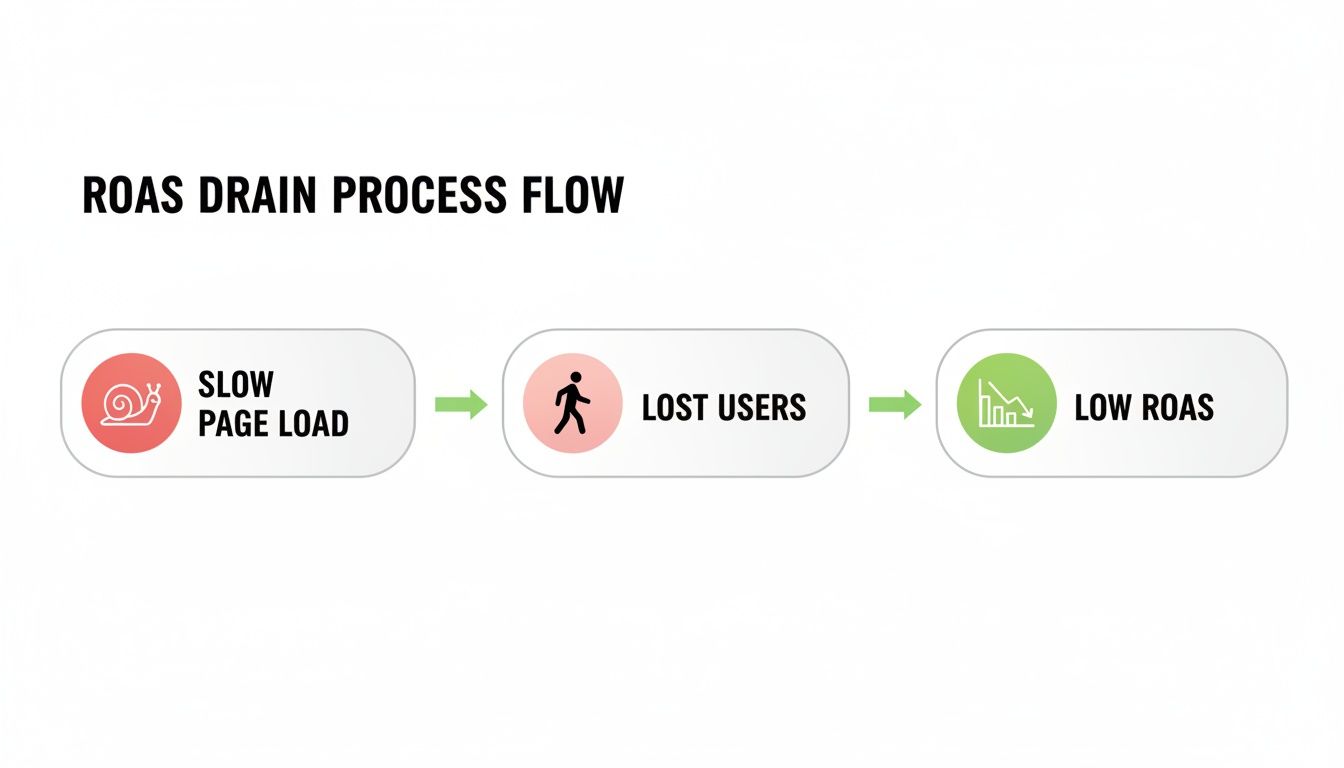
The key insight here isn't that speed is a technical problem. It's a financial one that kicks off a cascade of failure in your paid campaigns.
PageSpeed insights for a quick health check
First up is Google's own PageSpeed Insights. Think of it as your go-to for a quick, high-level health check. You plug in your URL, and it spits out a performance score and a laundry list of diagnostics. The big thing to focus on here are the Core Web Vitals (CWV).
Honestly, don't get lost in all the other metrics just yet. Start with these three because they are what Google uses to measure real-world user experience.
- Largest contentful paint (LCP): How long until the most important thing on the screen appears? For a landing page, this is probably your main headline or hero image. If this is slow, users see a blank or incomplete page and get frustrated fast.
- First input delay (FID): How long does it take for your page to respond when a user first tries to do something, like click a button? A high FID feels laggy and broken.
- Cumulative layout shift (CLS): This measures how much your page jumps around while it's loading. Ever tried to click a button, only to have an ad load and push it down the page? That’s CLS, and it’s infuriating.
These metrics aren't just abstract numbers; they represent real moments of user frustration that lead directly to them bouncing. Many of these issues, especially those related to tracking scripts, can be managed effectively—and our guide on how to use Google Tag Manager provides a solid starting point for getting those under control.
The Passed or Failed status you see at the top of the report gives you an immediate, non-negotiable signal of your page's health. It’s your first clue about where to start digging.
WebPageTest for a granular breakdown
While PageSpeed Insights is great for a quick diagnosis, WebPageTest is your MRI. It’s more complex, no doubt, but it gives you an incredibly detailed view of how your page loads, moment by moment.
The most valuable thing you'll find here is the waterfall chart. It shows every single file your page requests—every image, script, and font—and visualizes exactly how long each one takes to load.
The waterfall chart doesn't lie. It's the objective truth of your page's performance. It will show you exactly which third-party script is killing your load time or which uncompressed hero image is the bottleneck.
Learning to read this chart is a superpower for any marketer. You can visually identify the long bars (slow-loading assets) and requests that are blocking others from even starting. This is where you move from knowing that your page is slow to knowing exactly why. It turns a vague problem into a specific, actionable to-do list. This is your pre-flight check before we dive into the fixes.
Quick wins with server-side and CDN optimization
Alright, let's talk about the foundation. So many people jump straight into tinkering with images and code, but frankly, that’s often the wrong place to start. The biggest, fastest gains in page speed come from your infrastructure—your server and your Content Delivery Network (CDN).
This is the low-hanging fruit, the stuff that gives you the most impact for the least effort. We’re talking about shaving seconds off your load time before you even think about minifying a single CSS file.
If your server is slow to respond, nothing else you do matters. It's like putting a Formula 1 engine in a car with flat tires.

Why your server response time is non-negotiable
The first metric to obsess over is Time to First Byte (TTFB). In simple terms, this is how long the browser has to wait after it asks for your page before the server even starts sending the first piece of data back. A slow TTFB means your server is asleep at the wheel.
Everything else—loading images, running scripts, rendering content—is stacked on top of this initial delay. A high TTFB is a performance bottleneck you can't optimize your way out of on the front-end. It’s a server problem, plain and simple.
You don't need to become a server admin, but you do need to know what to look for.
- Avoid cheap shared hosting like the plague. It's cheap for a reason. You're sharing resources with hundreds of other sites, and when one of them gets a traffic spike, your landing page slows to a crawl. It’s a dumb way to save a few euros while torpedoing your ad spend.
- Look for a host that offers a solid infrastructure. Think about managed hosting solutions or virtual private servers (VPS) from providers known for performance. They cost more, but the return in conversion rate is almost always worth it.
- Check your TTFB in WebPageTest. If that first bar in your waterfall chart is long and yellow, your server is the culprit. A good TTFB should be well under 400ms. Anything over that is a red flag.
Fixing this might be as simple as upgrading your hosting plan. It's often the easiest and most impactful change you can make.
A CDN is not a 'nice-to-have' anymore
If you're running PPC campaigns targeting users in different cities or countries, a Content Delivery Network (CDN) is absolutely non-negotiable. Not using one is just lazy.
A CDN is a network of servers distributed globally that stores copies (caches) of your landing page assets. When a user in Berlin visits your page, instead of fetching data from your main server in Dublin, a CDN serves it from a server much closer, maybe in Frankfurt. This simple act of reducing physical distance dramatically cuts down latency.
Think of it like this: your server is your main warehouse. A CDN is a series of local storefronts. It’s just fundamentally faster for customers to go to their local shop than to wait for a package from a warehouse halfway across the continent. That’s how you should view a CDN.
The benefits are immediate. Your images, scripts, and stylesheets load faster for everyone, everywhere. It also takes a massive load off your primary server, which helps keep that TTFB low.
Getting set up with a CDN like Cloudflare is often free to start and ridiculously easy. It’s one of the biggest quick wins in the entire page speed game.
Picture this: your dynares platform spits out perfectly tailored landing pages for every keyword, but if they chug along at average speeds, you're leaking leads like a sieve. On mobile, it's a battlefield where pages take an average of 8.6 seconds to load globally versus 2.5 on desktop, and a 10-second load time can spike bounce rates by a staggering 123%. Just look at BMW—their mobile revamp for spotty networks jacked click-throughs from 8% to 30%. Your users expect pages to load in 2 seconds or less, and every second of delay increases the probability of them bouncing by 32%. You can discover more insights about these website load time statistics on Emailvendorselection.com to see the full picture.
Optimizing on-page assets that actually matter
Alright, you’ve sorted the server and slapped on a CDN. That’s solid foundational work. But now we get into the nitty-gritty—the stuff that’s actually on your landing page. This is where most of the bloat lives, and where you'll see some of the biggest, most tangible speed improvements.
We're moving beyond abstract server configs. This is about the files your user’s browser has to download and piece together. Let’s tackle the biggest culprits one by one.

Taming the image beast
Images are almost always the heaviest part of a landing page. They're also one of the easiest things to fix, yet so many people get it dead wrong. A single massive, uncompressed hero image can single-handedly destroy your LCP score and kill your conversion rate. It's a dumb, rookie mistake to make.
Let’s be clear: this isn’t about turning your beautiful visuals into pixelated mush. This is about being smart.
- Compress everything, ruthlessly. There is zero excuse for uploading a multi-megabyte image straight from a designer. Tools like TinyPNG or ImageOptim can slash file sizes by 50-70% with almost no visible loss in quality. This is non-negotiable.
- Use modern formats like WebP. WebP is a gift. It delivers much smaller file sizes than old-school JPEGs or PNGs at the same visual quality. Nearly all modern browsers support it, and you can easily set up fallbacks for the laggards. It's a simple switch that pays huge dividends.
- Implement responsive images. Serving a massive, 2000-pixel-wide desktop image to a mobile phone is just lazy. Use the
<picture>element or thesrcsetattribute in your HTML to let the browser pick the most efficient image size for the user's screen.
Performance can't come at the cost of design, but design can't kill performance. If you want to dive deeper into creating pages that look great and actually convert, our guide on landing page design best practices is a great next step.
Minifying your code and eliminating render-blocking junk
After images, your biggest performance drains are CSS and JavaScript files. Before it can show anything meaningful, the browser has to download, parse, and execute all this code. Every unnecessary character, comment, or space in those files adds to the load time.
Minification is the process of stripping out all that junk. It takes your human-readable code and turns it into a compact version that’s far faster for machines to process.
Think of minification as vacuum-sealing your code. You're removing all the air (whitespace, comments) so it takes up less space and is quicker to ship. It’s the same content, just packed more efficiently.
But just shrinking your files isn't enough. You also have to control how they load. This is where we run into render-blocking resources.
A render-blocking resource is a script or stylesheet the browser must download and process before it can continue drawing the page. If you have a bunch of these in the <head> of your document, the user is just stuck staring at a white screen. It's a terrible experience.
The fix is to get ruthless about what's critical and what isn't.
- Critical CSS: Figure out the absolute minimum CSS needed to style the "above-the-fold" content—the part of the page users see immediately. Inline this critical CSS directly into your HTML. This allows the browser to start painting the visible part of the page almost instantly.
- Defer non-critical CSS: Load the rest of your stylesheets asynchronously so they don't block that crucial initial render.
- Defer or Async JavaScript: For most JavaScript—especially third-party tracking scripts or interactive elements that aren't needed right away—use the
deferorasyncattributes.defertells the browser to wait until the page has finished parsing.asyncdownloads and executes it as soon as possible, without blocking parsing. Either one is worlds better than letting your scripts hold the entire page hostage.
A quick word on web fonts
Finally, let's talk about custom fonts. They look great, but they are often a hidden performance killer. Each font family and weight you add is another network request the browser has to make.
So, keep it simple. Don't go crazy with five different custom fonts on one page. And when you do use them, make sure you're using modern formats like WOFF2, which offers the best compression by far. It’s another small detail that, when combined with everything else, makes a huge difference.
Advanced tactics for maximum page speed
Alright, if you’ve handled your server, CDN, and on-page assets, you’re already ahead of 90% of the competition. But we’re not aiming for "good enough." We're aiming for ridiculously fast—the kind of speed that makes users feel like your page loaded before they even finished clicking.
This is where we move from the fundamentals to the fine-tuning. These are the strategies that separate the amateurs from the pros, turning a fast page into a near-instant experience. Let’s get into it.
Browser caching: The ultimate loyalty bonus
Let’s start with caching. It sounds technical, but the concept is dead simple. Browser caching is like giving a returning visitor a VIP pass.
The first time someone visits your landing page, their browser has to download everything: your logo, CSS files, JavaScript, the works. Caching tells their browser to keep a copy of these files for a while. So when they come back, their browser just pulls the files from its local storage instead of downloading them all over again.
The result? A dramatically faster, almost instantaneous load. It’s a huge win for retargeting campaigns or for users who visit your site multiple times before converting.
You can set this up with plugins on platforms like WordPress (think WP Rocket or W3 Total Cache), or by adding a few lines to your server’s .htaccess file. It’s a set-it-and-forget-it tweak that pays dividends forever.
Caching is your way of rewarding loyalty with speed. A first-time visitor gets a fast experience; a returning visitor gets a teleportation-level experience. It’s a simple, powerful way to show you respect their time.
Lazy loading: Make your page work smarter
Next up is lazy loading. This is an absolute game-changer, especially for longer landing pages with lots of images, testimonials, or embedded videos.
The default browser behavior is dumb. It tries to load every single asset on the page at once, even the stuff the user won't see for another five scrolls. Lazy loading flips this on its head. It tells the browser: "Only load images and videos when they're about to enter the user's viewport."
This has a massive impact on your initial load times and your Core Web Vitals, particularly LCP. The browser can focus all its energy on loading the critical, above-the-fold content first.
Implementing this is easier than ever. Modern browsers support native lazy loading with a simple loading="lazy" attribute on your <img> and <iframe> tags. It’s one line of code for a massive performance boost. There’s no excuse not to use it.
Confronting the third-party script nightmare
Now for the elephant in the room: third-party scripts. These are often the single biggest drag on your page speed. Your analytics tools, chatbots, heatmaps, and tracking pixels all add weight and complexity.
As a performance marketer, you need tracking. But every script you add is another network request, another potential point of failure, and another drag on performance. Slow landing pages are your silent ROAS killer. When you consider that 53% of mobile users will quit a page after just 3 seconds, and a tiny 0.1-second improvement can lift retail conversions by 8.4%, you realize every script has a cost. The stakes are high; you can read the full research about these page speed statistics and see for yourself.
You have to be ruthless here. Audit every single third-party script on your page.
- Question everything: Do you really need that chatbot script firing on every single page load? Is that heatmap providing more value than the conversions it’s costing you in speed? Be honest. If it’s not absolutely critical, kill it.
- Load asynchronously: For the scripts you absolutely must keep, load them asynchronously. This means they load in the background without blocking your main content from rendering. The user sees your headline and call-to-action while the tracking script quietly loads behind the scenes.
- Use a tag manager: Manage all your scripts through a single tool like Google Tag Manager. This gives you central control to decide which scripts load, when they load, and on which pages they fire. For example, a proper Google Ads conversion tracking setup can be optimized within a tag manager to minimize its performance impact.
Managing third-party scripts isn't a one-time fix. It’s an ongoing process of auditing and optimization. Every script you add is a performance trade-off. Make sure it's a trade-off worth making.
Common page speed questions answered
Look, when you’re deep in the weeds of waterfall charts and script deferrals, a few common questions always seem to pop up. Let’s cut through the noise and get some straight, practical answers. No fluff, just what you need to know to make the right call for your campaigns.
What is a good page speed for a PPC landing page?
Honestly? Aim for under two seconds. Anything more is just lighting your ad budget on fire.
The data is painfully clear on this. Conversion rates peak somewhere around the 1-2 second mark and then fall off a cliff. Sure, Google's official "good" threshold for LCP is under 2.5 seconds, but that’s not good enough when you're paying for every single click. You have to be more aggressive.
Think about the user's mindset for a second. They just clicked your ad, which means their intent is at its absolute peak in that moment. Making them wait even three seconds is an eternity, and it's more than enough time for them to lose patience and bounce. Remember, 53% of mobile users will abandon a site that takes longer than 3 seconds to load. Your job is to make sure your landing page isn't in that loser bracket.
How can I balance page speed with all my PPC tracking scripts?
This is the classic performance marketer's dilemma, isn't it? You need the data from your tracking scripts to prove ROAS, but those same scripts are often the biggest performance hogs on your page. It’s a frustrating trade-off, but it’s manageable.
The key is to think in terms of priority and asynchronous loading. You don't need every script firing the millisecond the page starts to load.
Here’s a practical approach:
- Use a tag manager: If you aren't already, get everything into Google Tag Manager. It gives you a central command center to manage what loads and when, without bugging a developer for every little change.
- Load asynchronously: This is non-negotiable. Loading scripts asynchronously means they load in the background without stopping your page's main content from rendering. The user sees what they came for, and the tracking loads behind the scenes.
- Audit ruthlessly: Do you really need that heatmap script firing on a brand new campaign before you even have significant traffic? Probably not. Be brutally honest about what’s essential versus what’s a "nice to have." Load the absolute essentials first (like your primary conversion pixel) and consider delaying or conditionally firing the rest.
The goal is to ensure your tracking doesn't get in the way of the user seeing what they clicked on your ad to see. It’s a balancing act, but one you can win with smart management.
Your tracking is there to measure the conversion, not prevent it from happening in the first place. Prioritize the user experience, and let the scripts load politely in the background.
Will improving core web vitals directly improve my quality score?
Yes. Let's be direct about this: it's a significant factor. Google has been shouting from the rooftops that Landing Page Experience is a key component of Quality Score, and Core Web Vitals are their primary, data-driven metrics for measuring exactly that.
A page with poor CWV sends a direct signal to Google that it provides a bad user experience. That signal directly dings your Quality Score.
A lower Quality Score means you pay a higher cost-per-click (CPC) to maintain the same ad position. It's a tax on slowness.
By improving your LCP, FID, and CLS, you are directly improving your landing page experience in Google's eyes. This leads to a better Quality Score, which in turn leads to lower CPCs and a better overall return on ad spend. It’s all connected in a beautiful, profitable loop.
At dynares, we believe speed isn't just a technical metric; it's a core driver of revenue. Our AI platform automatically generates thousands of hyper-relevant, lightning-fast landing pages designed to convert, ensuring your ad spend is always working for you, not against you. See how we can transform your campaigns at https://dynares.ai.


