
Let's be direct. If you’re running Google Ads and not properly integrating it with HubSpot, you’re burning money. It's not about convenience; it’s about creating a closed-loop system where real sales data tells your ads what to do next. This is the core of a modern HubSpot Google Ads integration.
Why this integration isn't a "nice-to-have" anymore
The old way of running ads—optimizing for form fills and cheap leads—is fundamentally broken. It clogs your pipeline with junk, wastes your sales team's time, and leaves Google's powerful algorithms guessing what a good lead actually looks like. It’s a dumb way to spend money, and we can do much better.
I’ve seen businesses completely flip their ad spend from a cost center into a predictable revenue machine. How? By creating a revenue feedback loop where real sales outcomes are fed directly back into Google Ads.
This integration forges that critical link. Quality signals—like when a lead becomes an SQL or a deal closes—get sent back to inform Google's Smart Bidding. Without this connection, I've seen match rates between clicks and actual leads fall below 50%. That translates to 30-40% of ad spend being utterly wasted on low-quality traffic.
By simply capturing the GCLID on every HubSpot form, chat, or meeting link, you can push match rates over 80%. That allows Google to find more prospects who close at 2-3x higher rates. If you want the full technical breakdown, you can dive deeper into how this revenue loop works.
This is what it looks like in practice—a clear, bi-directional flow connecting ad spend directly to revenue inside HubSpot.
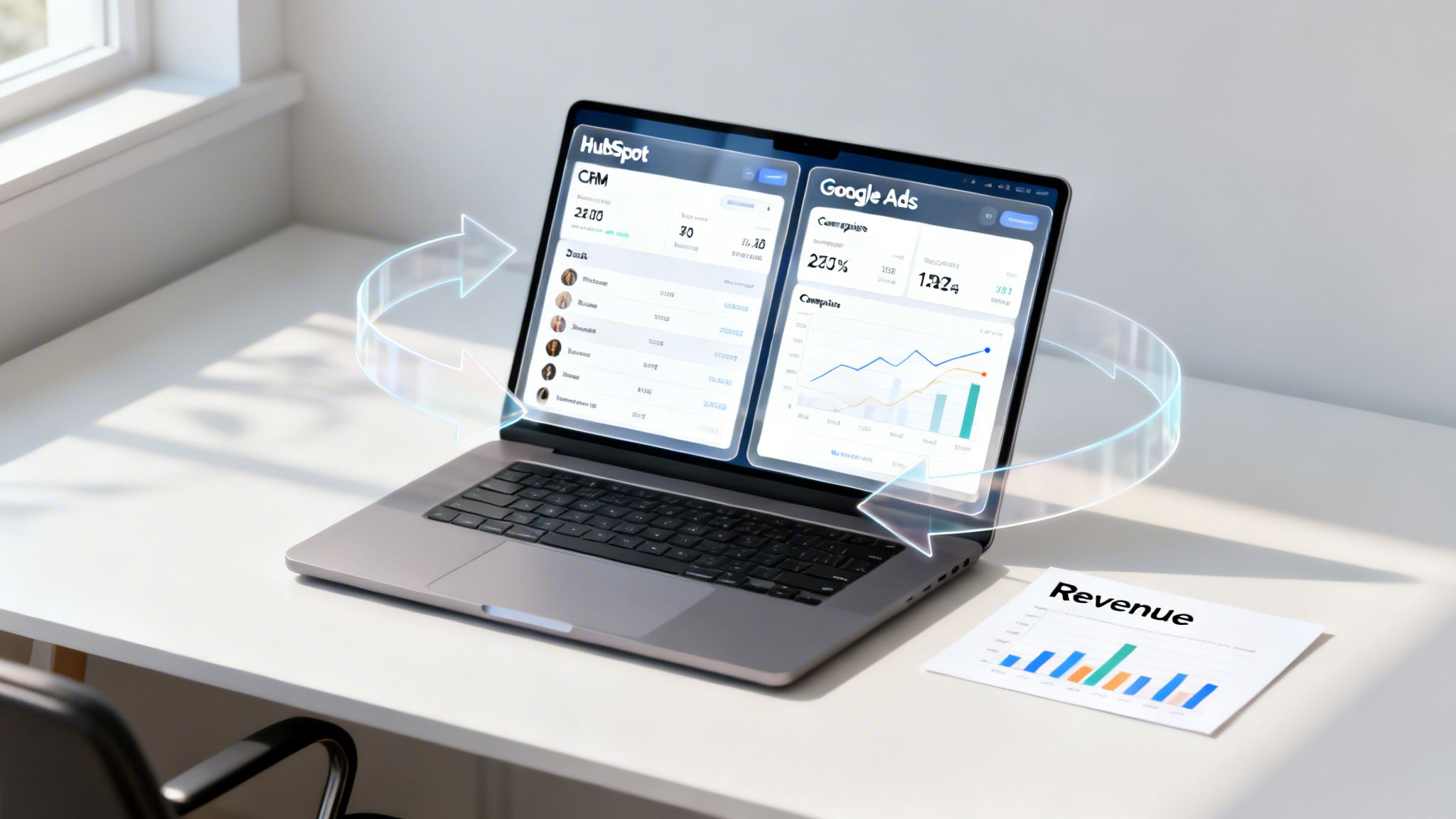
This data sync is what makes the whole system tick. It proves which campaigns, ad groups, and keywords are actually driving revenue, not just clicks.
The shift from chasing clicks to acquiring customers
Let's be clear about what we are trying to achieve here. We are moving away from vanity metrics and focusing on what actually grows the business. The goal is to make Google's AI work for you, not against you.
This requires a fundamental shift in both mindset and process.
The core idea is simple: You're training the algorithm. By feeding it real business outcomes, you're teaching it what a perfect customer looks like. Over time, it gets smarter, your ad spend gets more efficient, and you start acquiring actual customers—not just filling a spreadsheet with email addresses. This is the difference between just running ads and building a scalable customer acquisition engine.
The foundational setup you cannot skip
Alright, let's get into the weeds. Connecting HubSpot and Google Ads isn't just a one-click affair where you walk away. I've seen too many teams botch this part and end up with a massive, expensive data mess to clean up later.
Doing it wrong is like building a house on a shaky foundation. Eventually, it all comes crashing down.

Before you even think about connecting accounts, you have to run a few critical pre-flight checks. First up, permissions. The user connecting the two platforms needs Admin access in Google Ads and Publish access for the ads tool in HubSpot. This isn't negotiable. Getting this wrong is a dumb, avoidable mistake that kills the integration before it even starts.
Next, make sure your Google Ads account is running in Expert Mode, not Smart Mode. HubSpot can't track Smart campaigns because they're a black box, which makes this whole exercise pointless. If your account URL starts with ads.google.com/aw/express, you’re in Smart Mode. Switch it immediately.
Nailing the initial connection
Once your permissions and account mode are sorted, the actual connection process inside HubSpot's marketing settings is pretty straightforward. But I see people fall into the same traps over and over again, so pay close attention here.
Honestly, the biggest mistake is just rushing through this part. I get it, you're excited to see the data start rolling in. But spending an extra hour now to make sure your Google Ads conversion tracking setup is perfect will save you weeks of headaches and lost data down the line. Build it right the first time.
With a solid connection in place, you’ve built the plumbing. Now you can finally start flowing valuable data through it. This is where the real work of optimizing your ads for actual revenue begins, and it all rests on the bedrock of a proper HubSpot and Google Ads integration.
Mapping conversions for real ROI tracking
Getting your raw leads into HubSpot is a good start. But let’s be honest, that’s just table stakes. The real money is made when you teach Google Ads what a valuable lead actually looks like to your business.
This is where you stop optimizing for cheap form fills and start optimizing for actual revenue. You’re no longer just feeding the top of the funnel with anyone who will click. You're showing Google’s algorithm exactly which clicks turn into pipeline and which ones are just noise.
This whole process is about a fundamental shift in how you think about your ad spend.
The shift in Google Ads optimization strategy
Integrating HubSpot properly means you stop chasing lead volume and start chasing business outcomes. The metrics you obsess over will change, and for the better.
| Metric | Old Way (No Integration) | New Way (With HubSpot Integration) |
|---|---|---|
| Primary Goal | Maximize lead quantity at the lowest CPL. | Maximize qualified pipeline and customer value. |
| Optimization Signal | A generic "form submission" conversion. | Tiered conversions (MQL, SQL) with assigned dollar values. |
| Bidding Strategy | Target CPA (for leads) or Maximize Conversions. | Target ROAS (on pipeline value) or Maximize Conversion Value. |
| Reporting Focus | Leads, CPL, CTR. | Pipeline generated, cost per SQL, and actual ROAS on ad spend. |
| Sales Feedback | "The leads are junk." | "We need more leads like the ones from this campaign." |
Once you see it laid out, it's obvious. The old way is a guessing game; the new way connects your ad spend directly to the metrics your CFO actually cares about.
From leads to pipeline value
First thing’s first: you have to stop thinking of a lead as a single event. A contact who just downloaded a whitepaper is worlds away from a qualified lead your sales team has already vetted.
Your HubSpot lifecycle stages—like Lead, Marketing Qualified Lead (MQL), Sales Qualified Lead (SQL), and finally Customer—are the perfect tool for this. They give you a ready-made framework to define lead quality.
The goal is to map these internal stages to separate conversion actions in Google Ads. This tells the algorithm that an MQL is worth more than a fresh lead, and an SQL is worth way more than both. You're creating a clear hierarchy of value.
Forget optimizing for 'leads' as a flat metric. We’re optimizing for 'pipeline value.' This shift means your ad spend automatically gravitates toward audiences and keywords that produce high-quality opportunities, not just the cheapest clicks.
Now, to make this work, you have to assign a monetary value to each stage. This is the step where most B2B and service-based businesses get stuck, but it’s a lot simpler than you think. You don't need a perfect, ecommerce-style transaction value to get going.
Here’s a dead-simple way to assign values, even with a long and messy sales cycle:
- Start at the end: What’s the average lifetime value (LTV) of a new customer? Let’s say it’s €10,000.
- Work backward: Now, what are your conversion rates between stages? If 1 in 5 SQLs becomes a customer, then an SQL is worth €2,000 (€10,000 / 5).
- Keep going: If 1 in 4 MQLs makes it to the SQL stage, then an MQL is worth €500 (€2,000 / 4).
- Give leads a starting value: Even a brand-new lead has some potential. You can assign a small placeholder like €10 just to get it on the board.
These numbers don't have to be perfect on day one. They're a starting point. They give Google's Smart Bidding a compass, pointing it toward what you actually want. You can—and should—refine these values over time as you collect more data.
If you want to build a more bulletproof model for this, we have a complete guide on how to calculate ROAS the right way.
By setting this up, you’re no longer just tracking conversions. You’re tracking the creation of real pipeline value. This is how you build a HubSpot Google Ads integration that finally proves the true ROI of your campaigns and gets everyone from sales to finance on your side.
Let’s talk about the most tedious, soul-crushing job in PPC: manually exporting CSVs of converted leads from your CRM to upload into Google Ads. It’s the kind of work that’s practically guaranteed to be late, wrong, or both.
It's 2026. We automate that stuff. For any serious B2B marketer, this isn't a "nice-to-have" anymore—it's non-negotiable.
This is where you finally close the loop between your ad spend and actual revenue. You’re turning your HubSpot CRM from a simple database into an intelligence engine that feeds Google's algorithm. When a lead turns into an MQL or a deal closes, Google’s AI should know about it in hours, not weeks. You'll never keep up doing it by hand.
The whole process hinges on one critical piece of data: the GCLID (Google Click Identifier). It’s that unique string of characters Google Ads tacks onto the URL when someone clicks your ad. HubSpot is brilliant at capturing and storing this ID on the contact record, and it’s the key to matching your CRM data back to Google’s ad clicks with a high degree of accuracy.
This flow is how you connect a brand-new lead all the way through to a paying customer.
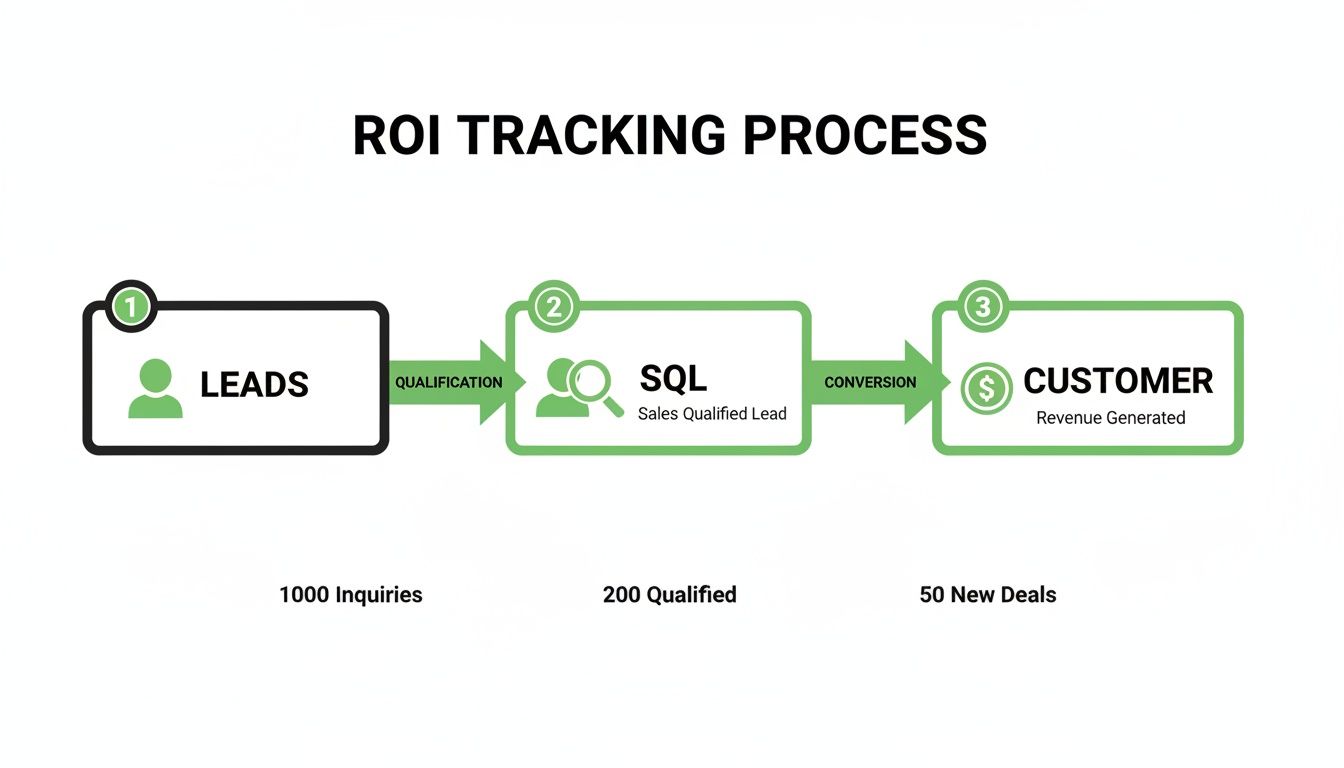
Without this automated feedback loop, your entire value-based bidding strategy is just a guessing game. You’re just hoping the right data gets uploaded on time.
Set it and forget it the right way
Luckily, setting up the automation inside HubSpot is pretty straightforward. You just navigate to your Google Ads settings, find the "Conversion Events" tab, and create a new event. The real power isn't in the setup, but in how you configure the triggers.
You can have these uploads happen automatically based on changes to the HubSpot lifecycle stage. For example:
- When a lead becomes an MQL: Send this event to Google Ads with the value you decided on earlier (e.g., €500).
- When an MQL becomes an SQL: Fire off another event with its higher value (e.g., €2,000).
- When a deal is Won: Send a final "Customer" event, using the actual deal value or your average LTV.
This tiered approach gives Google's algorithm a steady diet of high-quality, value-driven signals. This is what makes bidding strategies like Target ROAS so incredibly powerful. You’re no longer just asking Google to find you cheap leads; you’re commanding it to find you profitable customers.
The goal isn't just to connect two platforms. It's to build a scalable, automated engine that fuels your growth. When you automate offline conversion uploads, you’re finally letting your sales outcomes directly steer your ad spend. It’s a beautiful thing.
Recent data shows just how big of a deal this is. In 2026, well-integrated accounts are seeing 85% match rates on closed deals back to their original GCLIDs. This shift—from optimizing for cheap form fills to optimizing for real pipeline—is cutting CPCs by 25% and driving a 35% average ROAS gain as Smart Bidding learns to chase revenue, not just clicks.
For those of us managing multiple accounts or complex campaigns, this kind of automation is a lifesaver. Platforms like our own dynares are built on this exact principle; we handle automated conversion value uploads to free you up from wrestling with spreadsheets so you can focus on strategy.
Building ad audiences from your hubspot data
Your HubSpot CRM is a goldmine for building smarter Google Ads audiences. But most accounts barely scratch the surface of what’s possible.
Think about it. Why would you show top-of-funnel ads to a loyal customer who just bought your premium product? Or keep wasting budget on leads your sales team has already marked as junk? You wouldn't. This is where the integration moves from simple tracking to intelligent, surgical targeting.
You can build dynamic lists inside HubSpot based on almost any property—lifecycle stage, deal status, past purchases—and sync them directly to your Google Ads account. Honestly, it’s one of the most powerful yet criminally underused features of the entire setup.
This isn’t just about better targeting; it’s about respecting people’s time and your own budget. When you start building audiences from your CRM, you stop blasting generic messages and start having relevant conversations. The result is a much better experience for the user and a much healthier ROAS for you.
Practical audiences you can build today
Let's get practical. Here are three audiences you can build right now that will immediately stop wasted ad spend and open up new channels for revenue. The best part? These lists are dynamic, meaning they update automatically as your CRM data changes.
- Exclusion Lists: This is your first and most important audience. Create a HubSpot list of all contacts with a lifecycle stage of "Customer" or any leads you’ve marked as unqualified. Sync this list to Google Ads and exclude it from all your prospecting campaigns. Boom—you've just stopped annoying your existing customers and wasting money on dead ends.
- Upsell/Cross-sell Lists: Now for the fun part. Create a list of customers who have bought Product A but not Product B. Sync this audience to Google Ads and run a highly specific campaign showing them exactly why Product B is the perfect next step. You’re targeting a warm, familiar audience with a perfectly relevant offer. It’s a no-brainer.
- Re-engagement Lists: Every business has leads that go cold. Maybe they downloaded an ebook three months ago but never replied to a follow-up email. Create a list of contacts whose
Last activity dateis more than 90 days ago but who are still marked as MQLs. Target them with a special offer or new content to reignite the conversation.
This is where the integration really pays for itself. You're using real, first-party data to make smarter decisions. You’re not just retargeting anonymous site visitors; you're retargeting specific segments of your CRM with messages that actually make sense for them.
The impact here is massive. While general Google Ads benchmarks show average conversion rates hovering between 3-6%, a properly executed HubSpot and Google Ads integration can supercharge those numbers. We see figures jump to 20-40% on gated content landing pages just by using these personalized CRM audiences.
That's because you're no longer fighting with data siloed in different platforms. You can learn more about how a HubSpot integration boosts Google Ads performance and lifts results across the board. For digital agencies and in-house growth teams, getting this right is a complete game-changer.
Common questions I hear all the time
Every time I walk someone through this integration, the same handful of questions pop up. They’re good questions—the kind that show you’re thinking about the real-world messiness of it all.
Let's get them answered so you know exactly what you’re getting into.
How long does it take for hubspot conversions to appear in Google Ads?
This is the big one. Everyone wants instant data, but you need to manage your expectations here. It’s not real-time, and it’s not supposed to be.
Once you’ve got the sync running, HubSpot batches and sends conversion data to Google Ads about every 48 hours. After Google gets the file, it can take another 24 hours to process and match the data on its end.
So, realistically, you’re looking at a 1-3 day delay.
This is precisely why automating the upload is the only way to go. Nobody can manually keep up with that schedule without making mistakes. The goal is a steady, reliable stream of data for Google’s algorithms, not an instant feedback loop for you.
Can I track calls from Google Ads in hubspot?
Yes. And if you’re not, you’re flying blind. For so many businesses, the phone call is the most valuable conversion, and ignoring it leaves a massive hole in your reporting.
When you connect the two platforms, you can set it up so that calls from your Google Ads automatically create contacts in HubSpot. The integration does the heavy lifting: it creates a new contact record, attributes that contact back to the right ad campaign and keyword, and logs the call as an activity on the contact’s timeline.
Not tracking calls is one of those rookie mistakes that quietly kills your ROAS. You’re making decisions based on half the data.
What happens if a user blocks cookies or uses ad blockers?
This is where the real world crashes the party. If a user blocks tracking cookies or runs an aggressive ad blocker, you can’t capture the GCLID. It’s that simple. The trail goes cold.
This is a reality of modern marketing, and it directly impacts your match rate. But this is precisely why getting your technical setup flawless for everyone else is so critical. A slightly lower match rate due to privacy settings is infinitely better than a zero match rate due to a sloppy integration.
Don't panic about what you can't control. Focus on a perfect technical setup. That ensures you capture every single data point you possibly can from the users who do allow tracking, giving Google’s bidding algorithms a much richer dataset to work with.
Does this work with Google Ads manager accounts (MCC)?
Yes, and for any agency or in-house team managing multiple accounts, this is non-negotiable. You can connect your HubSpot portal directly to your Google Ads manager account (MCC).
This lets you centralize the entire operation. Instead of juggling a dozen one-off connections, you can create and push conversion actions down to multiple sub-accounts at once, build and share audiences across different clients or business units, and standardize your entire tracking and reporting framework from a single dashboard.
It's how you stop managing individual campaigns and start managing a full-fledged portfolio. It’s the difference between doing the work and scaling the strategy.
At dynares, we live and breathe this stuff. Our platform is built to automate the most painful parts of this process, from generating thousands of intent-matched landing pages to automatically uploading conversion values. If you're tired of spreadsheets and want to scale your Google Ads with AI, you should check us out at https://dynares.ai.


