
Let's be blunt. If you're running Google Ads without a serious negative keyword strategy, you are literally lighting money on fire. It’s that simple.
This guide cuts through the marketing jargon to explain why understanding negative keywords is the single most important step you can take to control ad spend and get in front of customers who actually want to buy something.
Stop burning cash on irrelevant clicks
Think of it this way: Google's powerful machine learning will happily spend your entire budget showing your ads to people who will never, ever buy from you. It's not malicious; it's just doing its job based on the instructions you give it. Your job is to give it clear boundaries—to tell it what not to show your ads for.
This isn't about saving a few euros here and there. It's about turning a leaky, unpredictable ad account into a profitable customer acquisition machine.

Mastering this one concept can single-handedly transform your campaigns from a money pit into a growth engine. It's the difference between crossing your fingers for leads and engineering them with precision.
The real cost of ignoring negatives
Ignoring negative keywords isn't a minor oversight; it's a fundamental strategic mistake that silently drains your budget. Every click from someone searching for "free software templates" when you sell a premium SaaS product is a wasted marketing dollar. These clicks add up incredibly fast, destroying your campaign's profitability before it ever has a chance.
The damage goes way beyond just the wasted ad spend:
- Lower Click-Through Rate (CTR): When your ads show up for the wrong searches, people don't click. This tells Google your ads are irrelevant.
- Worse Quality Score: Google rewards relevance. Irrelevant traffic tanks your Quality Score, which means you start paying more for every single click.
- Skewed Performance Data: Your conversion data gets polluted with junk traffic, making it impossible to see what’s actually working and what isn't.
If you don't have a clear picture of what's driving results, you can't optimize. It's essential to regularly measure marketing ROI to make sure you're not just burning cash.
In simple terms, negative keywords are the bouncers for your ad campaign. They stand at the door and politely turn away the people who are obviously not there to buy.
This has become even more critical as Google’s matching technology has gotten broader and more aggressive. One recent case study found that after a six-month audit, a business added over 200 negative keywords to fight back against irrelevant search queries. The result? They were able to shift 60% of their budget toward keywords that actually drove sales.
The three ways to tell Google no
Alright, so you get it. You need to tell Google’s algorithm ‘no’ to stop it from burning your budget. But how you say no matters. A lot.
Most guides overcomplicate this, but it’s actually pretty simple when you ditch the textbook definitions and just think about the goal: precision.
You have three tools to do this: broad, phrase, and exact match negatives. Think of it as choosing between a sledgehammer, a chisel, and a scalpel. Each one is useful, but using the wrong one for the job creates a mess.
Let’s break down when to use each.

Broad match: the sledgehammer
A negative broad match is your most aggressive, all-encompassing tool. If you add free as a broad match negative, your ad won't show if the word "free" appears anywhere in the search query, in any order. Simple.
This is great for blocking entire concepts you never want to be associated with. Think words like jobs, careers, or torrent if you're not in the recruiting or file-sharing business.
The danger? It’s a sledgehammer. Add free as a broad negative, and you might accidentally block a high-intent search like “project management software free shipping.” Ouch. Use this one with extreme caution.
Phrase match: the chisel
This is where the real work gets done. A negative phrase match is far more refined. It blocks your ad only when the search query contains your exact negative phrase, in that specific order.
So, if your negative is "free trial", it will block searches like “best project management software free trial” but will still allow “project management software trial for free.” The order matters.
This is your go-to for sculpting traffic. It lets you carve out specific, undesirable search patterns without causing collateral damage. You’re not just blocking a word; you’re blocking a specific context.
Exact match: the scalpel
Finally, we have negative exact match. This is your tool for surgical precision. It only blocks searches that match your negative keyword exactly, word for word, with no extra terms.
You use this when a very specific search query is worthless, but slight variations are valuable.
For example, let's say you sell premium running shoes. You might find that the very generic, two-word search [running shoes] converts horribly. You could add it as a negative exact match. This blocks only that specific query, while allowing longer, more qualified searches like [best running shoes for marathon] to come through just fine.
To make this even clearer, here’s a quick-glance table comparing how each type works in the wild.
Negative keyword match types explained
| Match Type | Example Negative | Example Search It Blocks | Example Search It Allows | Best Used For |
|---|---|---|---|---|
| Broad | free | "free project management software" | "gluten free snacks" (if "free" is the only negative) | Blocking universal concepts like jobs, careers, torrent. |
| Phrase | "free trial" | "saas tool free trial" | "saas tool trial for free" | Sculpting traffic by removing unwanted phrases like "how to", "DIY", or "cheap". |
| Exact | [shoes] | "shoes" | "red shoes", "running shoes" | Removing a specific, low-performing query without affecting its variations. |
The key is to think in layers. Your goal isn't just to add negatives; it's to use the right tool for each job.
The core idea is simple: start with the scalpel (exact) whenever you can. Use the chisel (phrase) for common, unwanted phrases. And only grab the sledgehammer (broad) for concepts that are universally bad for your business. This layered approach is how you build a truly efficient ad account.
How to find your best negative keywords
Let's get one thing straight: you don't need some expensive, overhyped keyword tool to find your most valuable negative keywords. The best ones are already sitting inside your Google Ads account, practically screaming at you to pay attention.
They live in a place called the Search Terms Report.
This report isn’t just data; it’s a direct transcript of what real people typed into Google right before they clicked your ad and cost you money. It’s a goldmine of wasted ad spend, and learning how to dig through it is the core skill that separates amateur PPC managers from pros who deliver real ROI.
Your mission is to hunt for the patterns of wasted clicks. It's about spotting the tire-kickers, the job seekers, and the DIY enthusiasts who will never convert.
Digging for gold in the search terms report
When you open this report, don't get overwhelmed. You're not looking for perfection, you're looking for simple, obvious mismatches between the user's intent and what you're actually selling. Think of it like being a detective looking for clues that lead to a leaky budget.
Here’s exactly what to look for:
- Informational Intent: Keep an eye out for queries starting with
how to,what is, ortutorial. If you sell a professional plumbing service, someone searching forhow to fix a leaky pipe DIYis not your customer. - Job Seekers: Any search containing
jobs,careers,salary, orinternshipis almost always a waste of money unless you’re actively recruiting. These are some of the first negatives I add to any account, no questions asked. - Bargain Hunters: If you sell a premium product, terms like
free,cheap,discount, ortorrentare toxic to your budget. Get rid of them immediately. - Irrelevant Products or Services: Did you sell "marketing software" but paid for a click on "free accounting software"? Add
accountingas a negative keyword right away.
The goal isn't to find every single bad query. It’s to find the themes and patterns of bad queries. Find one irrelevant search for "jobs," and you should immediately add jobs and careers as campaign-level negatives.
Building a starter list with common sense
While the Search Terms Report is your best long-term source, you can build a solid starter list before you even spend your first euro. Just use a bit of logic and competitor research. This proactive approach saves you money from day one.
To get started, you can check out our comprehensive negative keywords list for inspiration.
Think about what your ideal customer is not looking for.
- Competitor Names: Unless you have a specific strategy to target them, add your competitors' brand names as negatives. This stops you from paying for confused users who were looking for someone else.
- Wrong Locations: If you’re a local business in Berlin, there's no reason to pay for clicks from people searching for services in
HamburgorMunich. Add them to your negative list. - Unrelated Materials/Features: Selling leather boots? Add
vegan,rubber, andsuedeas negatives if you don't offer them. Simple.
This initial list acts as a foundational shield for your budget. It won't be perfect, but it will stop the most obvious cash leaks while you gather real data to refine it further.
Putting your negative keywords to work
Finding your negative keywords is a great start, but it’s only half the battle. The real leverage comes from implementing them correctly—and honestly, this is where most people screw it up.
They dump all their negatives into one big list and call it a day, which is just lazy and inefficient.
The key is to think in terms of hierarchy. Should a negative keyword live at the ad group, campaign, or account level? Getting this right is what builds a clean, scalable structure that won't turn into a tangled mess six months down the road. It’s the difference between a well-oiled machine and a chaotic garage sale.
This simple workflow shows how to turn search term data into actionable negative keywords.
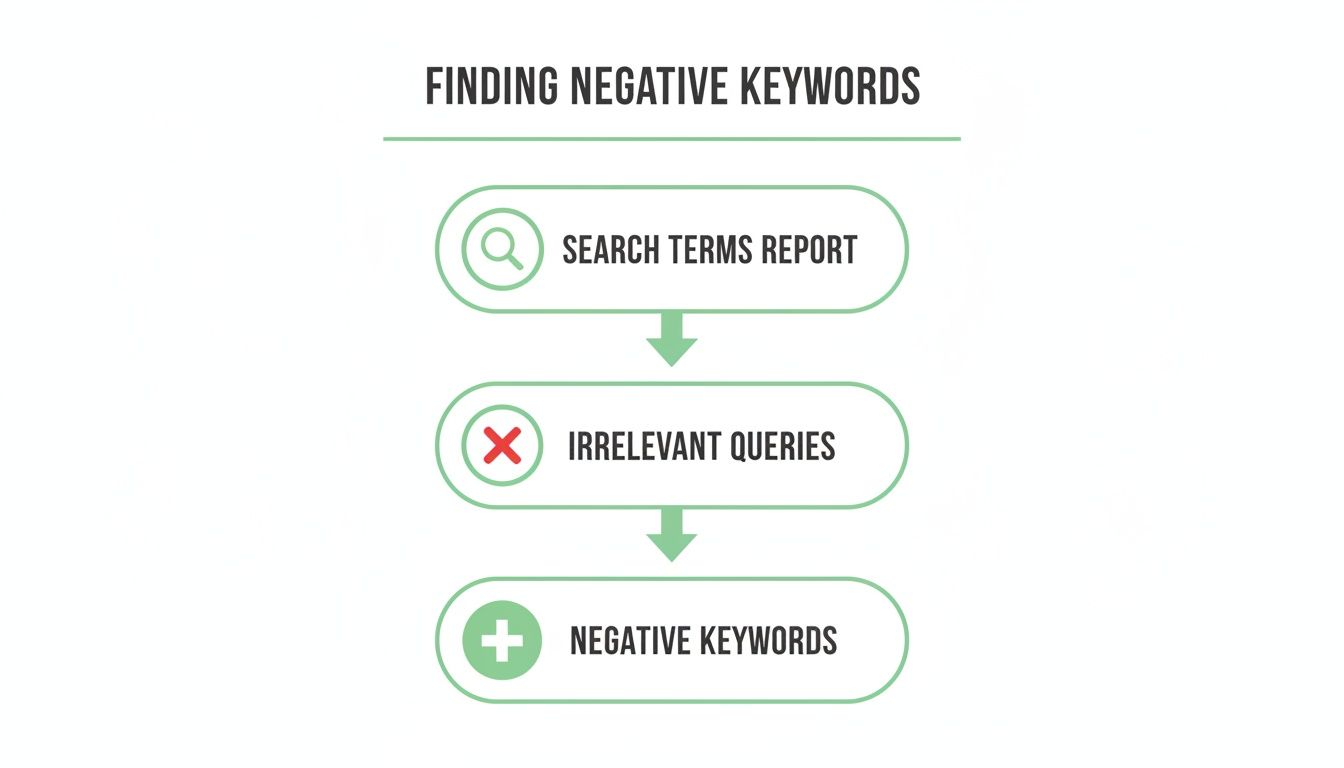
The process is a continuous loop: analyze reports, identify waste, and add negatives to refine your targeting.
Where to place your negatives
Think of it like organizing files on a computer. Some files belong in a shared drive for everyone, while others are tucked away in a specific project folder. Your negative keywords work the same way.
- Account Level (Shared Lists): This is for your universal "never show my ad for this" terms. Words like
jobs,careers,free,torrent, andresumealmost always belong here. You create one master list and apply it across all your campaigns to act as a foundational shield. - Campaign Level: This is for negatives that apply to a specific product or service line but not your entire business. If you have one campaign for "Enterprise Software" and another for "SMB Tools," a negative like
startupmight belong in the enterprise campaign but not the SMB one. - Ad Group Level: This is for surgical precision. You use ad group negatives to prevent keyword overlap between closely related ad groups, ensuring the right ad shows for the right search.
The rule is simple: apply negatives at the highest level possible without hurting performance elsewhere. Start with your account-level blocklist, then get more specific at the campaign and ad group levels as needed. This keeps your account clean and manageable.
Once you've identified and chosen your negative keywords, integrating them into broader PPC campaign optimization strategies is key to sustained success. This isn't a one-time fix; it's a core part of your ongoing optimization rhythm. For more details on building out keyword sets, you can also explore our guide on finding the best keywords for PPC.
Common mistakes that cost you money
Alright, let's talk about the dumb mistakes even smart people make with negative keywords. We've all been there, especially when we're trying to scale fast.
The biggest one by far is the classic "set it and forget it" trap.
Building that first negative keyword list feels like a huge win—like you’ve finally plugged the leaks in your budget. But your negative keyword list isn't a one-time project; it's a living document. Markets change, the way people search evolves, and new, irrelevant queries pop up every single week.
Another classic error is creating conflicts by adding a negative keyword that accidentally blocks a keyword you're actively paying for. This happens way more than you’d think, especially in older accounts with layers of legacy settings. It's like having one foot on the gas and the other on the brake—you just burn fuel and go nowhere.
Set-and-forget negligence
Neglecting your negative keyword lists is just lazy, and it’s costing you money. The search terms that are irrelevant today might be different next quarter.
Without regular check-ins, your carefully crafted lists become outdated, letting new budget-draining queries slip through the cracks. This is how campaigns slowly lose their edge and profitability erodes over time.
Think of it like weeding a garden. You can't just pull the weeds once and expect them to stay gone forever. You have to make it a routine.
This isn't just a minor oversight; it's a direct path to a lower ROI. Your Search Terms Report is a live feed from the market. Ignoring it means you're operating with old information.
The self-sabotage of keyword conflicts
The second major pitfall is accidentally kneecapping your own campaigns. This happens when a broad or phrase match negative keyword inadvertently blocks a specific, high-intent long-tail keyword you actually want to show up for.
For example, adding "free tools" as a negative could easily block a valuable search like best project management tools with free shipping.
This problem is more widespread than most marketers realize. Industry audits consistently find that nearly every account has some level of negative keyword conflict. Some businesses are running on negative lists that haven't been touched in over a decade. To get ahead of this, you can learn more about building a better review process through Google Ads campaign optimization.
The solution is simple diligence. You need a process for regularly auditing your negative lists against your active keywords. You can find some great recommendations on Search Engine Land for avoiding these outdated list problems.
Scaling your strategy without losing your mind
Managing negative keywords for one or two campaigns is straightforward. But doing it across dozens of campaigns for a fast-growing product? That’s a completely different beast.
This is where most people get buried, and their once-pristine ad accounts descend into chaos. The answer isn't to work harder; it's to build systems. To scale without breaking things, you have to shift from manual, reactive clean-up to proactive, automated optimization. Technology and process are no longer optional.
Automate the obvious with shared lists
Your first step toward sanity is the shared negative keyword list. Think of this as your universal blocklist—the digital bouncer for your entire ad account.
This list should contain all the terms that are always irrelevant to your business, no matter which campaign they show up in. Words like jobs, careers, free, torrent, resume, or example. These terms belong in one central, shared list that you apply to every single campaign.
This simple move creates consistency, saves you time, and makes updates easy. This is your foundation. It doesn't matter if you’re managing a €1k/month budget or a €1M/month budget; this is the first building block of a scalable system.
Move faster with simple scripts
Once your shared lists are in place, the next level of scale comes from simple automation. You don't need to be a programmer to use basic Google Ads Scripts. Many are available for free online and can be set up in minutes.
A great place to start is with a script that automatically flags high-spending search terms that have zero conversions. Imagine getting a report every Monday morning showing you exactly which queries burned through cash last week without generating a single lead. For fast-moving lead gen campaigns, that kind of insight is pure gold.
This shifts you from digging through reports to having actionable insights delivered right to your inbox. The goal is to build a system where you are not the bottleneck.
A few final questions on negative keywords
Alright, let's wrap this up by hitting a few common questions that always pop up once you start getting serious about negative keywords. Think of this as a quick-fire round to clear up any last bits of confusion.
How often should I update my negative keyword list?
Don't overthink it. There’s a sweet spot between obsessive and negligent.
For a high-spend account where data comes in fast, a quick check of the Search Terms Report once a week is a smart habit. For smaller accounts, every couple of weeks or at least once a month is perfectly fine.
The goal isn't to live in the report; it's to make regular, consistent check-ups part of your routine.
Can negative keywords hurt my campaign?
Oh, absolutely. If you’re clumsy, they can do some real damage.
The biggest risk is getting too aggressive with a broad match negative and accidentally blocking high-intent, long-tail searches. For example, adding free as a broad negative is a classic mistake. You think you're blocking bargain hunters, but you might also block a perfect customer searching for “project management software with free shipping.”
Always double-check your logic before adding a negative, especially a broad one. When in doubt, start with phrase and exact match negatives—they give you way more control and are much harder to mess up.
Should I add competitor brand names as negatives?
This one comes down to strategy. There’s no single right answer, just a strategic choice.
If your goal is pure efficiency, add them as negatives. You want to avoid paying for clicks from people who were specifically looking for another company. This is the default, safe move for most accounts. But if you’re running a specific "conquesting" campaign to intentionally target competitor-aware buyers, then you don't. You’re ready to fight for that click.
The only truly wrong move is paying for those clicks without a plan for them.
At dynares, we're obsessed with turning ad spend into predictable revenue. Our platform automates the creation of high-intent ads and landing pages, helping you eliminate waste and maximize conversions. Stop guessing and start engineering your growth. See how it works at https://dynares.ai.


