
Let’s be direct: if you're sending paid traffic to a landing page without video, you're lighting money on fire. This isn't a nice-to-have anymore. It’s a core conversion lever.
Honestly, it can be the difference between a profitable campaign and a complete waste of ad spend.
Why a video on your landing page is non-negotiable
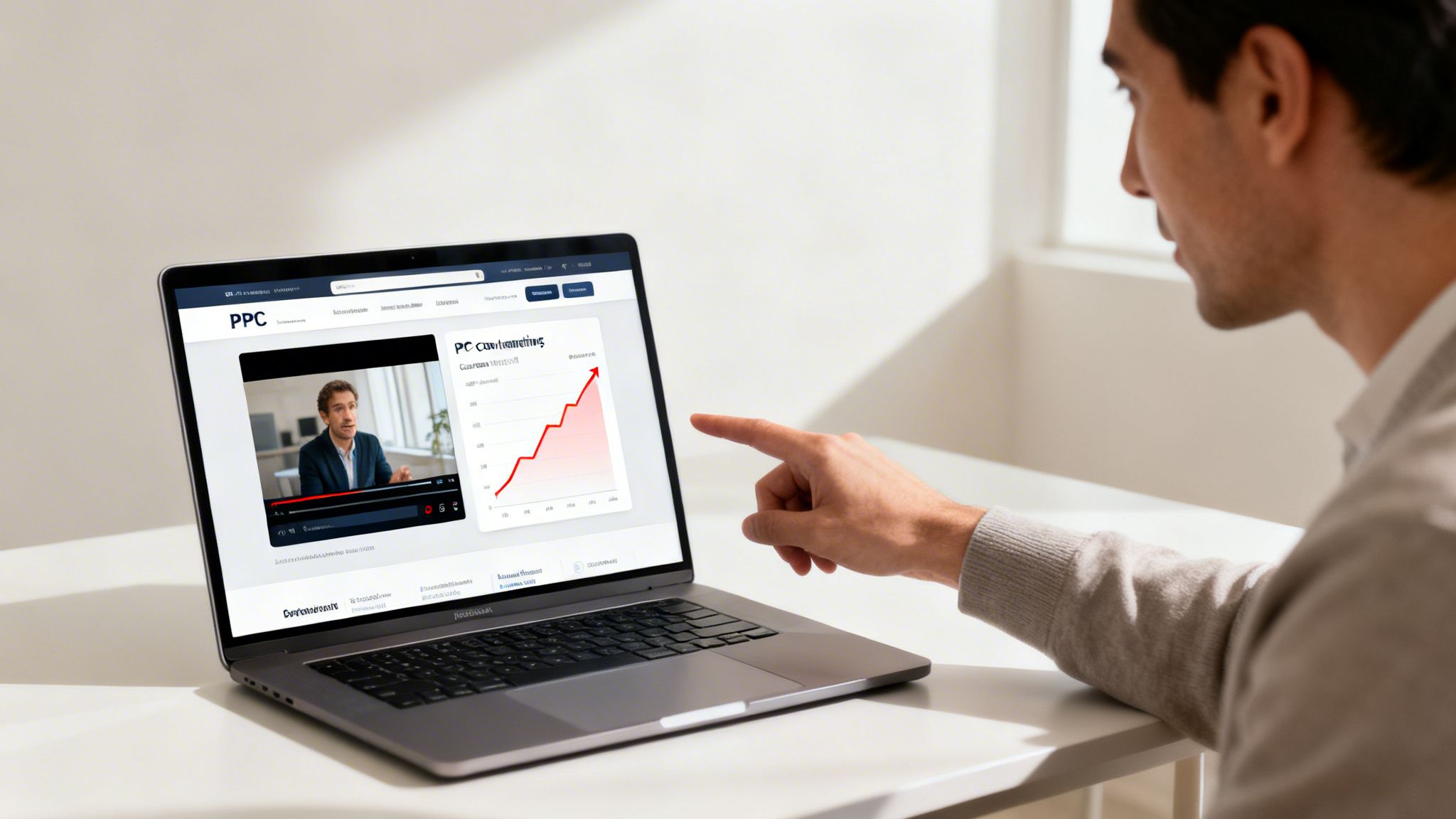
As a tech entrepreneur, I’ve seen it firsthand: the right video can completely rewrite the economics of a PPC campaign. The reality is people don't read dense blocks of text after clicking an ad. They scan. They want answers now. ⚡
A good video cuts right through that impatience. It grabs attention in those first few critical seconds and lands your value proposition with a clarity text just can't touch. This isn't just a hunch; the data is screaming it. Some studies have shown that adding a video to your landing page can spike conversions by as much as 80–86%. Why? Because it lowers the cognitive load. It makes understanding your offer easy.
For me, it boils down to one thing: video builds trust and demonstrates value faster than any other medium. You’re not just telling, you’re showing. In a world of endless digital noise, showing is everything.
The immediate impact on your ad campaigns
So what does this actually mean for your Google Ads account? The benefits are direct and measurable. Putting a video on your landing page isn't just about aesthetics; it's a strategic play that directly feeds the metrics that matter. It's a non-negotiable part of any serious digital marketing services approach.
Here's a look at how video directly impacts your campaign performance.
How video impacts key PPC metrics
This table breaks down how using video on your landing page directly influences the metrics every PPC manager obsesses over. It's a chain reaction that starts with better engagement and ends with a healthier ROAS.
MetricImpact of videoWhy it matters for Google AdsEngagementIncreases Time on Page and lowers Bounce Rate as users stay to watch.Google sees these as strong signals of relevance and quality for your page.Quality ScoreImproves Landing Page Experience, a key component of Quality Score.A higher QS directly leads to lower CPCs and better ad positioning. It’s a virtuous cycle.Conversion RateBoosts confidence and clarity, leading to more form fills, sales, or sign-ups.This is the ultimate goal. Higher CVR means a better return on every dollar you spend.
Ultimately, a well-placed video sends a powerful message back to Google's algorithm: this page is high-quality, relevant, and deserves to win the auction at a lower cost.
Moving beyond simple text
Think about the user journey. Someone searches Google, clicks your ad, and hits your page. You have maybe three seconds to prove they're in the right place. A compelling video thumbnail is often all it takes to make them pause and engage.
This is especially true for complex B2B products or high-consideration services. Trying to explain a sophisticated SaaS platform with a wall of text is a losing battle. A 60-second explainer video can do the job ten times better.
Building truly effective landing pages that convert demands this kind of smart, user-centric thinking. It’s time to stop writing essays and start showing results.
Choosing the right video for your landing page
Okay, you're convinced a video on your landing page is a good idea. That’s the easy part. The hard part is choosing the right one.
Slapping a five-minute corporate monologue onto your page is a fantastic way to burn your ad spend and get absolutely nothing in return. Get this wrong, and your video becomes an expensive distraction, not a conversion asset. It’s just dumb.
The video you use for a simple €20 gadget has no business being the same as one for a complex B2B SaaS platform. It’s all about matching the video to the user’s intent and the offer’s complexity. The data is clear: it’s not just about having a video, but having the right one. Research shows 88% of consumers were convinced to buy a product after watching a brand's video, and Dropbox famously boosted conversions by over 10% with a dead-simple explainer. You can find more details on how video type impacts conversions in these findings from firework.com.
Match the video to the mission
Let’s get practical. The video format you choose depends entirely on the job it needs to do. Are you building trust? Explaining a tricky concept? Or just trying to create a human connection?
Each goal demands a different approach. These are the heavy hitters I see work consistently for PPC landing pages:
- Explainer videos: Your default choice for anything with a learning curve. If you have to answer "How does it work?" in your ad copy, an explainer video is a must. Keep it short, sharp, and focused on the user's outcome, not just a list of features.
- Product demos: Don't just tell me your software is great—show me. A quick, screen-recorded demo that solves a specific pain point is incredibly powerful. It makes the abstract feel tangible and answers questions before the user even thinks to ask them.
- Customer testimonials: Nothing sells like social proof. A genuine, unscripted video from a real customer is worth more than any marketing slogan you can write. It builds immediate trust, which is crucial for high-commitment offers.
- Founder-led welcome: For a new product or a personal brand, this is pure gold. A short, direct-to-camera message from the founder creates an instant human connection. It quietly communicates there's a real person behind this who cares, a move that builds massive trust.
The rule is simple: Clarity over cleverness. Your video has one job—to move the user closer to that conversion button. If it doesn't do that, it's just a waste of pixels.
Keep it brutally short
I can't stress this enough: shorter is almost always better. You are not making a feature film. You are trying to close a deal with someone who has the attention span of a goldfish.
You absolutely must get your core value proposition across in the first 10 seconds. If you haven't hooked them by then, they're already gone.
For most PPC landing pages, the sweet spot is 30-60 seconds. Anything longer and you’re asking for a massive drop-off.
And finally, don't obsess over Hollywood-level production. Authenticity beats polish every single time. Good lighting and clear audio are non-negotiable, but a modern smartphone can handle that. Focus your energy on a tight script and a clear message that reinforces your ad, and you'll be on the right track.
Technical setup without killing your page speed
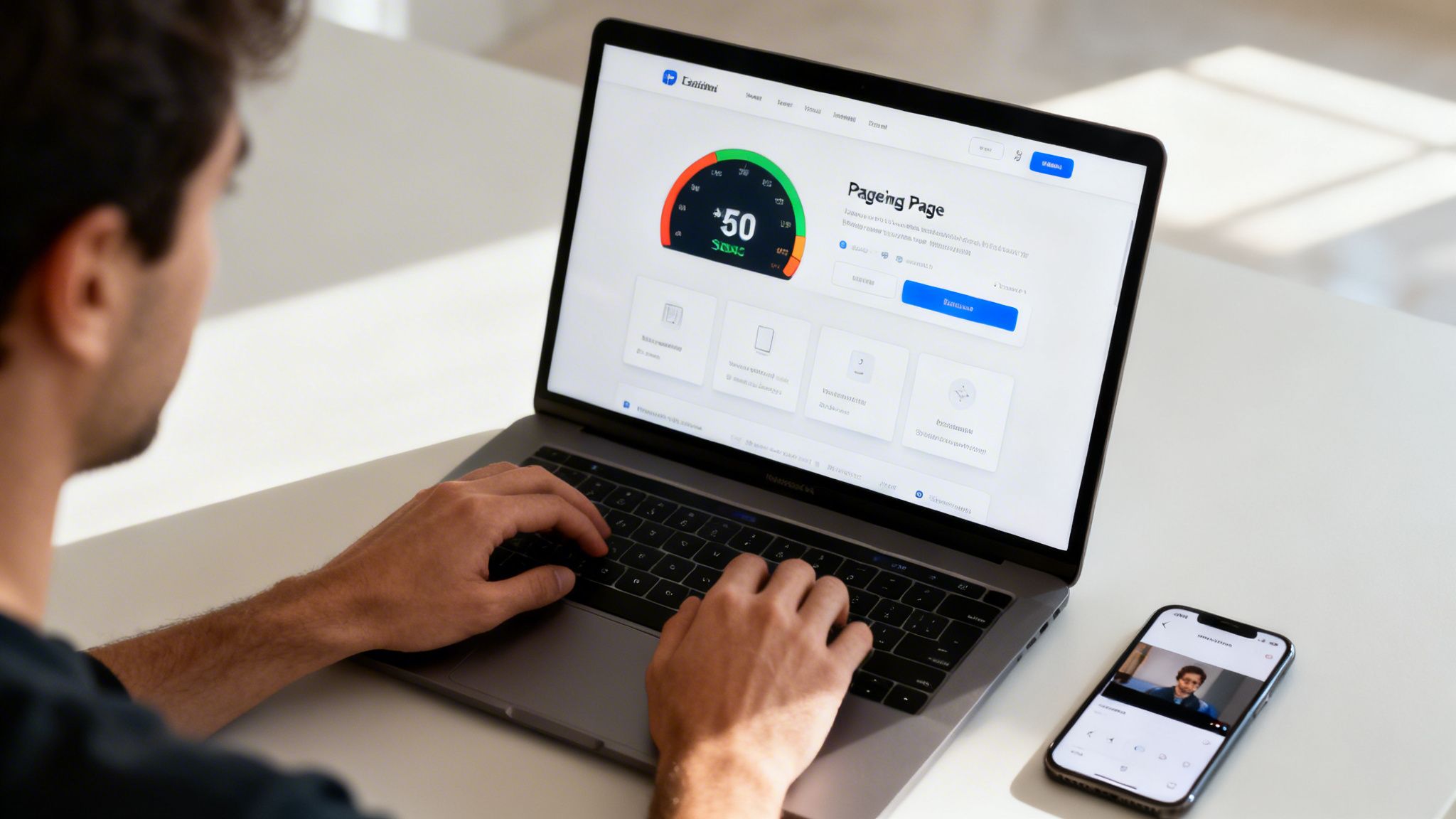
Alright, let's get into the weeds. This is where so many people make a mess of things. You can create the most persuasive video in the world, but if it murders your PageSpeed score, it’s completely useless.
A slow-loading video on a landing page is an instant killer for user experience and a red flag for Google Ads. You’ll pay more for your clicks and get fewer conversions. The technical setup isn't just an afterthought; it’s fundamental to your campaign's success.
Choosing your hosting platform
First things first: where does your video live? Self-hosting is almost always a terrible idea—it puts a massive, unnecessary strain on your server. You need a dedicated video hosting platform. The main players are YouTube, Vimeo, and Wistia, and this choice is not trivial.
While YouTube is the giant, embedding a standard YouTube video on a serious landing page is a rookie mistake. It loads related videos, channel branding, and other junk that will absolutely pull visitors away from your call to action. It’s built for discovery, not for conversion.
I see it all the time: a great landing page ruined by a "Watch Next" panel full of cat videos. For a PPC page, you need absolute control over the user experience. Anything less is just sloppy.
Vimeo and Wistia are built for business. They offer much cleaner, more professional players that give you control over branding, remove all those distracting elements, and provide far better analytics on viewer engagement. Yes, they cost money. But burning ad spend on a leaky landing page is infinitely more expensive.
Critical settings for performance and UX
Once you've picked a host, you need to configure the embed correctly. Just dropping it in and hoping for the best is not a strategy. Get these settings right to protect your page speed and user experience.
Here’s my non-negotiable checklist for any video on a landing page:
- Lazy load everything: This is the big one. Lazy loading means the video player and its assets don’t load until the user actually scrolls down to it. This dramatically improves the initial page load time, which is critical for your Google Ads Quality Score. For a deeper dive, check out our guide on how to improve page load speed.
- Mute by default: Never, ever autoplay a video with sound. It's obnoxious and the fastest way to make someone hit the back button. If you use autoplay (say, for a background video), it must be muted. No exceptions.
- Optimize for mobile: With over 60% of traffic coming from mobile devices, this is non-negotiable. Any playback issues on a phone mean your video's conversion benefit completely vanishes. Test it on actual devices to ensure it’s responsive and plays without friction. You can find more data on this at Statista's research on video usage.
Getting the technical side right isn't about being a developer. It's about being a smart marketer who understands that speed and user experience are the bedrock of conversion. Don’t let a lazy setup undo all your hard work.
Smart placement and UX to drive action
Having a killer video is only half the battle. Where you put it—and how the page is built around it—is what separates a pretty decoration from a conversion machine.
Frankly, just slapping a video at the bottom of the page is a waste of everyone's time and money.
The old argument was always "above the fold." My take? It completely depends on the video's job. If the video is the main sales pitch, like a hero background showing off your product, then yes, it has to be the first thing people see.
But for a testimonial or a quick explainer? Placing it right next to a form or a critical decision point can be way more powerful.
The goal is to make the video a seamless part of the conversion journey. It should guide the user’s eye straight to your call-to-action (CTA), not distract from it. Think of it as a helpful assistant, not the star of the show.
Designing the page around the video
Don’t just drop a video onto a generic template and call it a day. The best landing pages I've seen integrate the video into the design itself, using it to create a visual flow that leads right to the "submit" button.
I’ve seen this done brilliantly, and I’ve seen some spectacular failures.
Here are a few practical ways to make it work:
- Create visual cues: Use arrows, background shapes, or even directional copy that literally points from the video player to your form or CTA. It sounds obvious, but you’d be surprised how many pages have no clear visual hierarchy.
- Craft a compelling thumbnail: Your thumbnail is the video's headline. It has to scream "play me!" Use a custom image with a person's face, a bold text overlay asking a question, or a really obvious play button. Never let your hosting platform pick a random, blurry frame for you.
- Keep the CTA visible: This is non-negotiable. Your main CTA button or form should always be visible. If your video opens in a lightbox or goes full-screen, make sure the conversion element is still there or shows up the second the video ends. Don't make people hunt for it.
Placement scenarios that work
There’s no single "best" placement for every video on a landing page. It’s all about context. A lot of what works comes down to solid landing page design best practices that prioritize getting the user to convert.
Here are a couple of setups I've seen deliver fantastic results:
- Hero background video: This is perfect for visually driven B2C products or services. It creates an instant emotional hook. The key is to keep it short, looped, muted by default, and overlaid with a clear headline and a massive CTA button.
- Click-to-play next to a form: This is gold for B2B SaaS or any complex offer. The video acts as your "closer," answering last-minute questions and building trust right at the moment of decision. Placing a sharp customer testimonial video here is pure genius.
Ultimately, placement is all about psychology. You want the video to answer a question or crush an objection at the exact moment the user is thinking it.
Test different placements ruthlessly. What works for one audience might completely flop with another.
How to actually measure your video's impact
Look, if you can’t measure it, don’t do it. That’s the mantra.
Just dropping a video on a landing page and watching your main conversion rate is lazy. It’s like judging a football match by only looking at the final score—you miss the entire game. Standard conversion tracking isn't good enough.
You need to get into the nitty-gritty of what’s actually happening. A person who bounces in three seconds is not the same as someone who watches 75% of your demo. Obvious, right? But most marketers treat them exactly the same.
This is where you have to get your hands a little dirty with Google Tag Manager (GTM).
The real magic isn’t just knowing someone converted. It’s knowing why they converted. Tracking video engagement gives you that 'why'. It tells you who is leaning in, who is paying attention, and who is ready for the next step.
Beyond the play button
We need to track meaningful engagement, not vanity metrics. Simply tracking "video plays" is useless. What we really care about are intent signals.
These are the events I insist on tracking for any serious campaign:
- Video started: Did they even bother to press play? This tells you if your thumbnail and placement are compelling enough.
- Video 25%, 50%, 75% watched: This is where the gold is. Someone who hits the 75% mark is deeply engaged. They get your value proposition.
- Video completed: Did they watch the whole thing? This is a massive signal, especially for shorter videos under two minutes.
Setting up these events in GTM lets you pass this rich data into Google Analytics. Suddenly, you’re not just looking at bounce rates; you’re looking at genuine engagement patterns. If you need a refresher on the basics, our guide on Google Ads conversion tracking setup is a good starting point.
This simple flow is all about getting their attention and then driving a specific action.
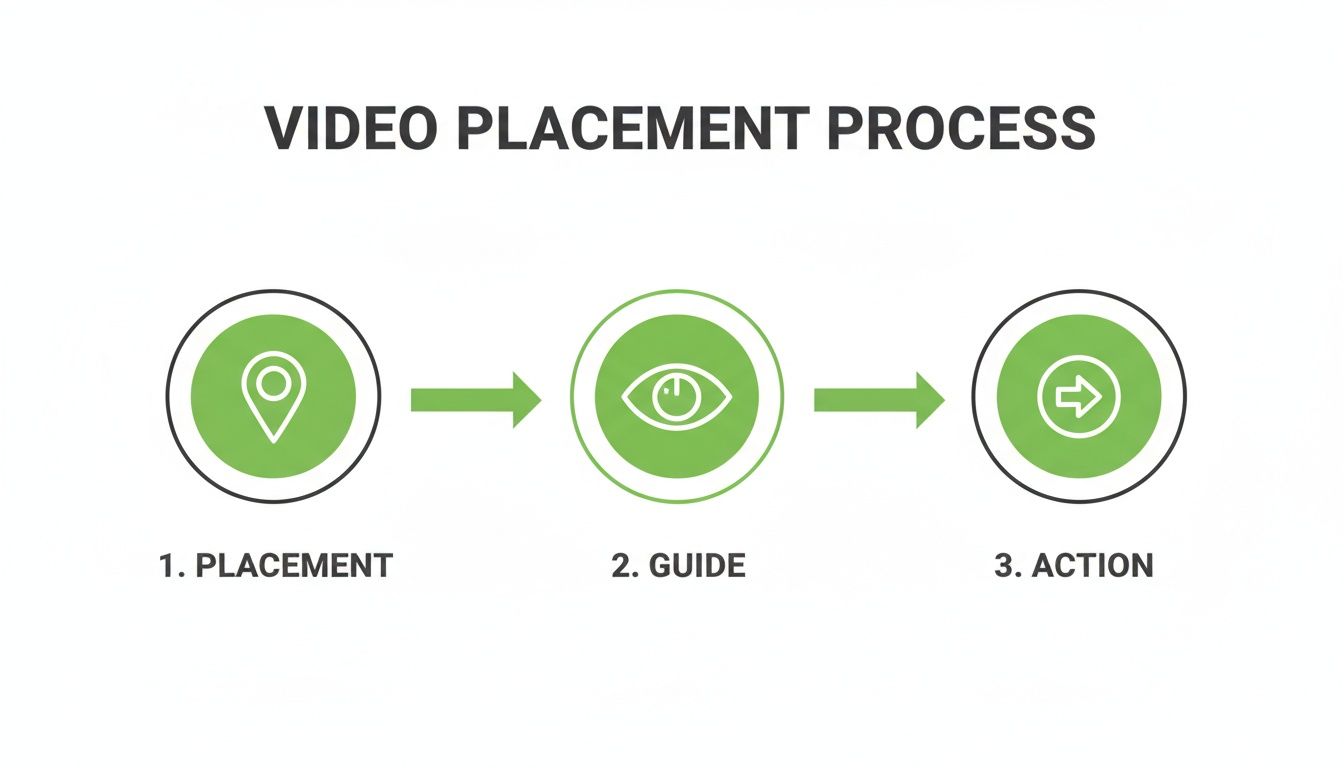
As you can see, it's a clear path: strategic placement captures attention, the video guides their understanding, and this focused engagement leads directly to the conversion you want.
Turning data into revenue
So you have all this great engagement data. Now what? You put it to work. This is how you move from just getting leads to getting high-quality, revenue-driving leads.
You can now build incredibly powerful remarketing audiences. Imagine creating a list of everyone who watched more than 50% of your demo video but didn't fill out the form. That’s a hot list. You can hit them with a tailored ad that addresses a final objection or offers a special incentive.
For the advanced teams, this is where it gets really exciting. You can treat these video engagement events as micro-conversions. Better yet, you can upload them as offline conversions back into Google Ads.
This helps the algorithm optimize for more engaged users—people who watch—not just people who submit a form. This is how you tell Google's AI what a good lead actually looks like. It’s a game-changer.
Common questions I get about landing page videos
Run a tech company long enough, and you start to hear the same questions on a loop. When it comes to putting a video on a landing page, the same fears and myths pop up over and over.
Let's cut through the noise and get some straight answers.
Will a video on my landing page hurt my SEO?
This is a valid fear, but the short answer is no—if you’re smart about it. The biggest risk is page speed. A massive, unoptimized video file will absolutely tank your load time, and page speed is a huge ranking factor for Google. It's just dumb to ignore it.
To get around this, you have to use a professional hosting service like Wistia or Vimeo and, most importantly, implement lazy loading.
The upside is that a good video dramatically improves the engagement signals Google loves: higher time on page and lower bounce rates. When users stick around, it tells search engines your page is valuable, which can actually help your rankings in the long run.
People obsess over the technical SEO hit but forget about the human engagement boost. A video that keeps a user on your page for an extra 60 seconds is a massive win in Google's eyes. It signals quality.
How much should I spend on a landing page video?
Let’s get one thing straight: you do not need a Hollywood budget. For a PPC landing page, authenticity and clarity are worth infinitely more than slick production value. I mean it.
A simple, well-lit video shot on a modern smartphone can be brutally effective. If you’re going for an animated explainer, you can find great freelance artists who will produce something professional for a few hundred to a couple of thousand euros.
The one place you absolutely cannot cheap out is audio. People will forgive shaky video, but they will never forgive bad sound. It’s an instant credibility killer.
Here’s my advice:
- Start small: Create a simple, scrappy video first.
- Test the impact: Measure its effect on conversions.
- Scale the budget: Once you prove the ROI, then you can invest more.
Should my video autoplay?
This is a classic "it depends," but I lean heavily towards no. Autoplaying video with sound is a cardinal sin of user experience. It will make visitors hit the back button so fast your analytics won't even register their visit. Don't do it.
The only acceptable time to use autoplay is for a muted background video that serves as a purely visual element, like a hero banner.
For any video with a real message—a demo, a testimonial, an explainer—always default to click-to-play. This gives the user control and shows respect. Use a compelling thumbnail and a clear play icon to make them want to click. That way, you know anyone who watches is actively engaged and genuinely interested in what you have to say.
At dynares, we automatically generate and test landing pages at scale, letting you figure out what works without the manual grind. Our platform builds high-intent pages with the right video placement for every ad group, so you can focus on strategy, not tedious setup. Learn more about how we do it at https://dynares.ai.


